English
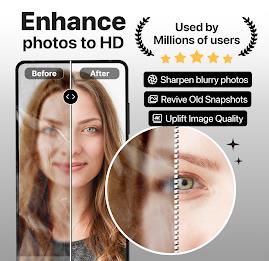
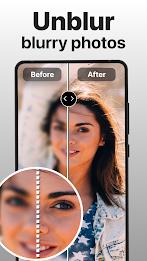
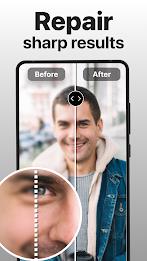
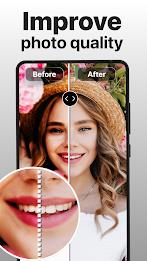
PhotoBoost - AI Photo Enhancer lets you instantly upgrade low-resolution and blurry photos into sharp, high-definition images using automated AI tools. The app is designed for anyone who wants to rescue old prints, improve dim selfies, or prepare better photos for social sharing without time-consuming manual editing. With one-tap enhancement you can deblur, upscale, colorize black-and-white pictures and recover pixelated detail quickly. PhotoBoost - AI Photo Enhancer works as an all-in-one restoration and enhancement utility that simplifies complex corrections into simple actions, making it easy to revive memories and create shareable, professional-looking results.
⭐ One-tap enhancement: automatic deblurring and upscaling powered by AI to restore clarity with a single action.
⭐ AI-powered restoration: clears pixelation and reduces noise to bring old or damaged images back to life.
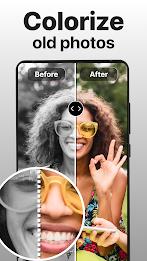
⭐ Colorize and enlarge: add natural color to black-and-white photos and upscale vintage scans for better detail.
⭐ Scratch and imperfection repair: remove common defects from scanned prints to improve overall appearance.
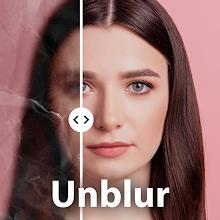
⭐ Before-and-after preview: compare results instantly to see improvements and fine-tune output.
⭐ Social-ready exports: create high-quality images suitable for sharing on social feeds or printing.
✅ Very user-friendly: automated tools make complex edits accessible to anyone, no technical skills required.
✅ Revives old memories: ideal for restoring scanned photos, family albums and grainy snapshots.
✅ Improves everyday shots: enhances low-light selfies and blurred photos so they look more professional.
✅ Time-saving: AI handles the heavy lifting, reducing the need for manual touch-ups and lengthy editing sessions.
❎ Final quality depends on the source image; severely degraded photos may not be perfectly restored.
❎ Colorization is algorithmic and may not exactly match original hues or intent.
❎ The app performs best when kept up to date and may require the latest version for optimal results.
PhotoBoost - AI Photo Enhancer requires updating to the latest version for proper operation; keeping the app updated ensures the newest restoration improvements and stability fixes are applied.


PhotoBoost - AI Photo Enhancer
Size:51.00M PhotographyQuick Grid
Size:48.30M Photographymcpro24fps
Size:7.96M PhotographySuper 16
Size:58.78M PhotographyPhotographers Companion Pro
Size:5.20M PhotographyText Art
Size:32.00M PhotographyPixiz - Collage Maker
Size:2.69M PhotographyPerfect365
Size:138.02M PhotographyProCCD
Size:95.50M PhotographyFaceShow
Size:115.60M PhotographyPhoto Lab
Size:48.20M PhotographyReNew Old Photo
Size:82.00M PhotographyApril 2024 Clash of Clans Update: Unveiling a Fresh Companion, Enhanced Levels, Chat Tagging, and Be
2024-04-16Arrival of Genshin Impact 4.6 Update: 'Embers of Two Realms, Twilight of Crimson'
2024-04-16V2.2 of the Farlight 84 update introduces an overhauled Season structure, fresh in-game currency, an
2024-04-16Monster Never Cry is now accessible on both Android and iOS mobile devices.
2024-04-18PUBG Mobile Teams Up with Bentley Motors: Luxury Cars, Exclusive Collectibles, and Beyond
2024-04-18March 2024 Free Redemption Codes for Honkai: Star Rail
2024-04-18