English
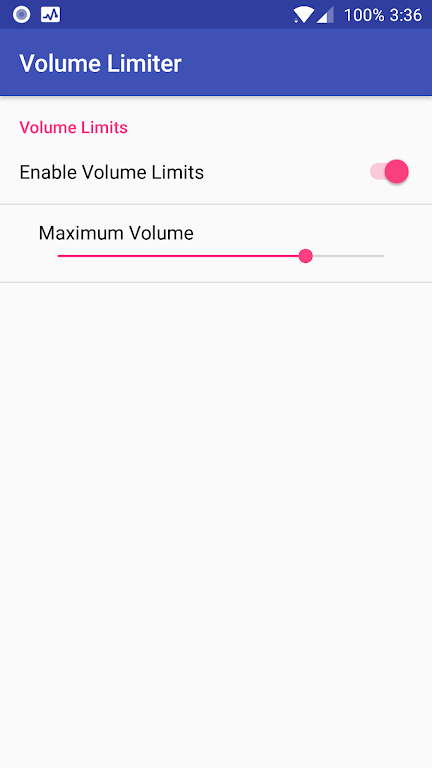
Volume Limiter 2 gives you simple, dependable control over your device's audio so you can prevent sudden loud playback and protect hearing. Volume Limiter 2 puts a maximum ceiling on system volume, enforces headphone limits, and provides per-app and per-device caps that stop accidental or intentional volume spikes. Designed for parents, caregivers and anyone who values consistent listening levels, Volume Limiter 2 combines an easy one-tap preset with a PIN lock so your chosen limits stay in place until you intentionally change them.
The app works by setting a hard cap on the system audio output and by applying separate limits to individual applications when needed. Instead of adjusting the volume each time media plays, you configure the safe maximum and the app intercepts volume changes so nothing exceeds that ceiling. This control model is straightforward: choose a maximum level, optionally select per-app limits to lower volume for specific apps, and activate the lock. The mechanics are lightweight and executed locally on your device, so changes take effect immediately and require no background account or network connection.
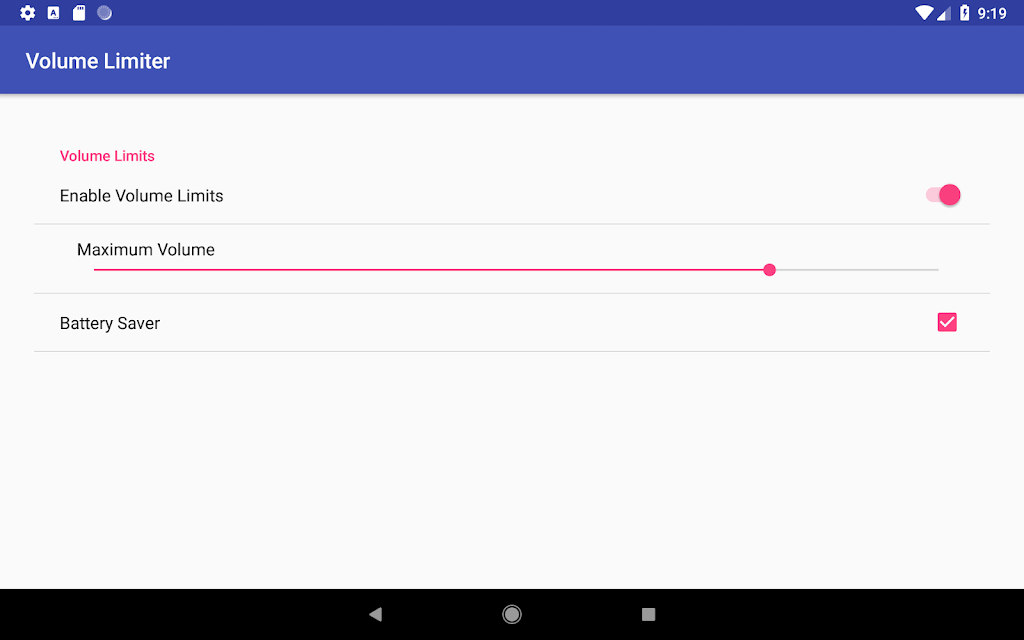
Volume Limiter 2 focuses on direct, tactile controls that are easy to understand. The main interface offers quick presets — including a child-safe preset — that apply a predefined ceiling with a single tap. For more detail, you can set fine-grained maximums for individual apps, allowing higher levels for media players while keeping communication apps or games subdued. A PIN-protected settings screen prevents unauthorized adjustments and is useful when handing your device to children or guests. The app also supports temporary unlocking: unlock, make a temporary change, and re-engage the cap to restore protection. These customization options keep the interface uncluttered while giving you the control needed for diverse listening situations.
The visual design emphasizes clarity: large, legible controls and high-contrast elements make it easy to check or change the cap at a glance. Volume Limiter 2 keeps navigation minimal so new users can set a safe level without reading long guides. Accessibility considerations include sizable touch targets, simple language in labels, and consistent visual feedback when limits are active. The app also supports common accessibility features available on Android devices, such as screen readers and system font scaling, so users with visual or motor challenges can configure and verify settings comfortably.
Because it operates without requiring an internet connection, Volume Limiter 2 works reliably whether you are at home, traveling, or in environments with limited connectivity. All processing and enforcement happen on-device, which reduces privacy concerns and ensures caps remain active even in airplane mode. Security is centered on the PIN lock that prevents accidental changes; for safety, follow best practices by choosing a memorable PIN and storing it in a secure place to avoid lockout. The app does not depend on cloud services, so there is no online account to manage or recover if you forget a PIN.
In daily life Volume Limiter 2 helps maintain a predictable audio environment: it avoids accidental bursts of volume from streaming ads, game effects, or unfamiliar media; it protects sensitive listeners and provides peace of mind for parents. For practical setup, start with the child-safe preset to test an appropriate maximum, then adjust per-app limits where you need more flexibility. If you temporarily need higher volume, use the unlock feature, make the adjustment, and then re-lock to restore the cap. Regularly review per-app settings after installing new media apps so the limits match your preferences. Being proactive about configuration reduces the chance of frustration while preserving the core protective behavior of the app.
No app is without trade-offs: the enforced maximum can be inconvenient when you need louder audio in specific moments, and forgetting the PIN will prevent on-device changes until you follow the app's recovery guidance. To avoid this, record your PIN securely and test changes before applying them in critical situations. If you frequently switch listening needs, use clearly named presets so you can move between profiles quickly without compromising safety. These small habits keep Volume Limiter 2 effective without adding complexity to daily listening routines.
LG Remote
Size:20.44M ToolsClone Master
Size:7.67M ToolsNetBlade: WiFi & LAN Scanner
Size:11.79M ToolsNetwork Guru: Speed Indicator
Size:5.40M ToolsTouch VPN
Size:25.60M ToolsVenlow
Size:148.20M ToolsInstall Buddy
Size:11.25M ToolsPixels: Resolution+DPI Changer
Size:6.90M ToolsVPN China
Size:21.00M ToolsDesh Bangla Keyboard
Size:20.10M ToolsAlien Tower Realm
Size:442.20M ToolsVolume Limiter 2
Size:1.52M ToolsApril 2024 Clash of Clans Update: Unveiling a Fresh Companion, Enhanced Levels, Chat Tagging, and Be
2024-04-16Arrival of Genshin Impact 4.6 Update: 'Embers of Two Realms, Twilight of Crimson'
2024-04-16V2.2 of the Farlight 84 update introduces an overhauled Season structure, fresh in-game currency, an
2024-04-16Monster Never Cry is now accessible on both Android and iOS mobile devices.
2024-04-18PUBG Mobile Teams Up with Bentley Motors: Luxury Cars, Exclusive Collectibles, and Beyond
2024-04-18March 2024 Free Redemption Codes for Honkai: Star Rail
2024-04-18