English
Venlow is a compact Android utility for shrinking video file sizes while preserving playback quality, making it simple to free up storage and speed up sharing. Designed for on-device processing, Venlow balances compression speed, format support, and visual fidelity so you can prepare videos for social apps, messaging, or long-term storage.
Venlow focuses on practical tools that address common mobile video headaches. It offers batch compression, adjustable output quality, multiple export formats, and a live preview mode so you can compare original and compressed clips before saving. Familiar controls help you manage bitrate, resolution, and frame rate without wrestling with technical jargon.
Under the hood, Venlow uses efficient encoding routines that reduce file size by optimizing bitrate and resolution while keeping artifacting to a minimum. The app analyzes each clip to suggest a compression profile, then applies changes such as downscaling to 720p or adjusting bitrate profiles based on target file size or desired upload speed. Profiles can be applied one-off or saved for repeated use.
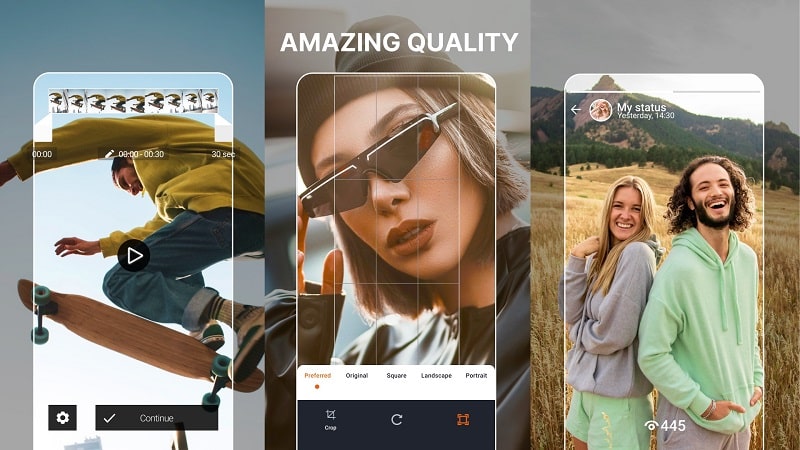
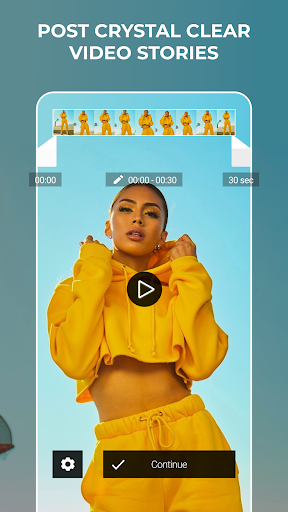
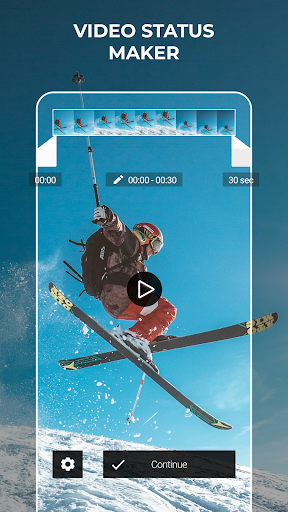
The user interface is built for quick results. Import videos from your gallery, cloud folders, or directly from the camera roll. A timeline-style thumbnail preview lets you trim unwanted sections before compression. Use simple sliders to set quality and size targets, or choose automatic optimization for one-tap processing. Venlow keeps frequently used presets readily accessible so routine tasks become faster.
Venlow supports common mobile video formats including MP4 and MOV and offers modern codecs where available to improve efficiency. Export settings let you pick container formats and control audio compression separately. There's an option to keep the original audio untouched for better fidelity, or compress both audio and video together to maximize storage savings.
If you need to compress multiple clips at once, Venlow’s batch mode processes files sequentially with a single preset. This is ideal for cleaning up a backlog of vacation footage or prepping a folder of clips for upload. You can queue operations and let the app run in the background, and notifications inform you when the job completes.
Venlow is optimized for modern Android devices but scales back processing on older hardware to avoid overheating or battery drain. It uses hardware acceleration when available and offers adjustable performance settings so you can favor speed or quality. The app is designed to be lightweight on memory and storage, minimizing its footprint while handling large video files.
All video operations in Venlow happen on-device by default, which helps keep personal footage private and avoids the need for cloud uploads. Temporary files are managed automatically and removed after export unless you choose to keep them. Permissions are scoped to storage and media access only, and settings let you control whether the app can access cloud services.
Begin by granting access to your media library, then import a short clip to explore the preview and quality sliders. Try the automatic optimization first to see suggested settings, and then experiment with manual adjustments to learn how resolution and bitrate affect output. Once comfortable, switch to batch mode to process entire folders quickly.
Venlow is tailored for users who need reliable, on-device video compression without a steep learning curve. It strikes a balance between advanced controls and usability, making it a practical choice for anyone who regularly manages video files on Android devices.
NetBlade: WiFi & LAN Scanner
Size:11.79M ToolsNetwork Guru: Speed Indicator
Size:5.40M ToolsTouch VPN
Size:25.60M ToolsVenlow
Size:148.20M ToolsInstall Buddy
Size:11.25M ToolsPixels: Resolution+DPI Changer
Size:6.90M ToolsVPN China
Size:21.00M ToolsDesh Bangla Keyboard
Size:20.10M ToolsAlien Tower Realm
Size:442.20M ToolsVolume Limiter 2
Size:1.52M ToolsScreen Mirroring - 1001 TVs
Size:42.70M ToolsShortcut+
Size:5.87M ToolsApril 2024 Clash of Clans Update: Unveiling a Fresh Companion, Enhanced Levels, Chat Tagging, and Be
2024-04-16Arrival of Genshin Impact 4.6 Update: 'Embers of Two Realms, Twilight of Crimson'
2024-04-16V2.2 of the Farlight 84 update introduces an overhauled Season structure, fresh in-game currency, an
2024-04-16Monster Never Cry is now accessible on both Android and iOS mobile devices.
2024-04-18PUBG Mobile Teams Up with Bentley Motors: Luxury Cars, Exclusive Collectibles, and Beyond
2024-04-18March 2024 Free Redemption Codes for Honkai: Star Rail
2024-04-18