English
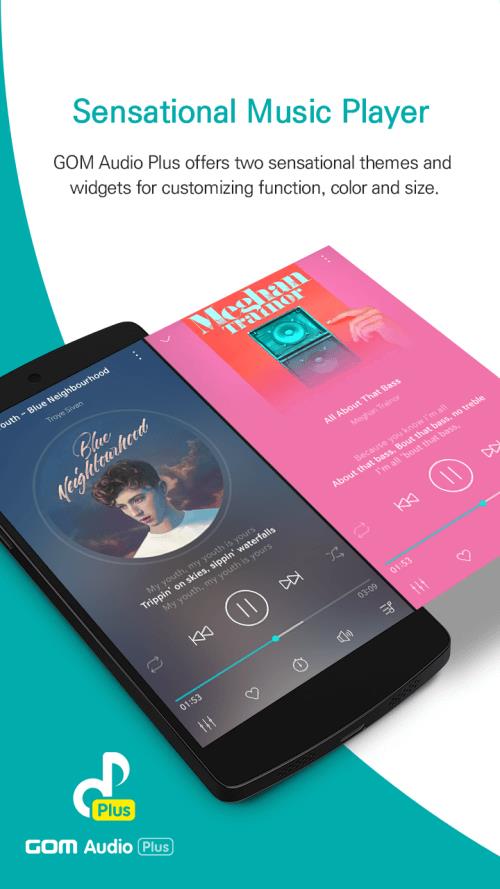
Most music players force you to unlock the phone before changing tracks, which is frustrating when you just want simple control from the pocket. GOM Audio Plus aims to solve that with a streamlined music experience that highlights lock-screen playback, flexible audio tools, and playlist management. The app puts playback controls where you need them, offers a built-in equalizer and lyrics editor, and keeps a searchable catalog of tracks and alternate versions. If you like to tailor sound and organize music on the go, GOM Audio Plus gives the basic tools and a few advanced options in a tidy Android package.
Primary type: Mobile audio player focused on on-device playback and library management.
Tools included: Equalizer, lyrics access, and playlist organization functions for everyday listening.
Audience: Listeners who want more control over sound and easy lock-screen operation without extra clutter.
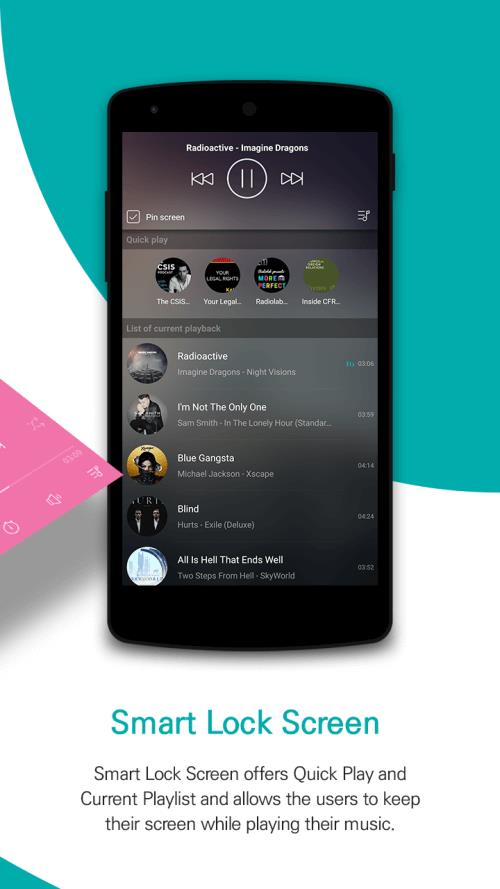
Lock-screen playback: GOM Audio Plus displays a compact player on the lock screen so you can pause, skip, or seek without unlocking the device.
Format compatibility: The player handles a wide range of common audio files so you can keep a mixed library of downloads and rips in one place.
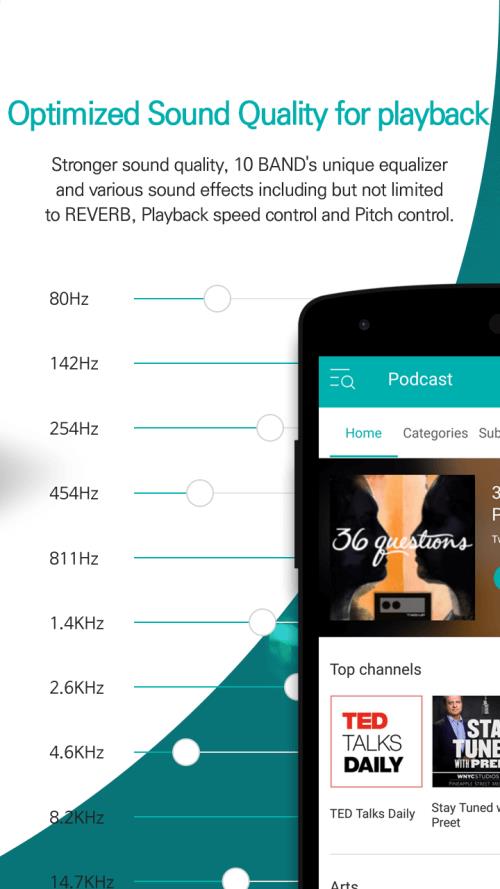
Audio equalizer: An adjustable equalizer lets you tweak bass, treble and frequency bands to suit headphones, speakers, or personal taste.
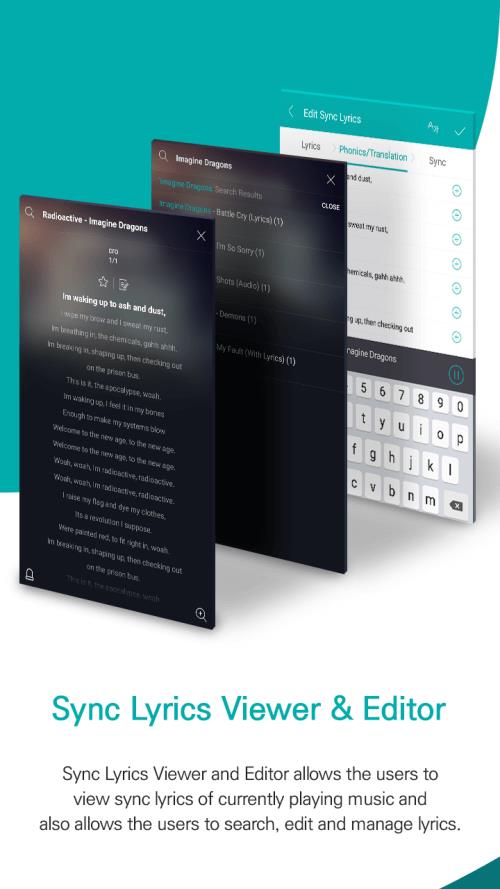
Lyrics and metadata: You can view and edit lyrics while a track plays, and the app shows playlist info so what’s coming next is always visible.
Search and content browsing: A smart search lets you find artists, versions, and remixes; the built-in catalog is refreshed so new releases and alternate takes show up over time.
Create mood playlists: Build separate lists for focus sessions, workouts, or relaxed evenings to quickly switch the vibe without hunting for songs.
Fine-tune the sound: Tweak the equalizer for your current listening setup—bump the bass for small speakers or flatten frequencies for accurate monitoring with studio headphones.
Use lock-screen queueing: Queue up a few tracks before locking the phone so you can control the order without interrupting what you’re doing.
Offline preparation: If you plan a long trip or a flight, make sure favorite playlists are available locally so playback stays smooth without a connection.
Can I control playback from the lock screen?
Yes. GOM Audio Plus places a minimalist player on the lock screen where you can play, pause, skip, and see the current playlist without unlocking the device.
Does the app support different audio file types?
The player supports many standard formats so you can add MP3s, AAC files and other common tracks to your library and play them without conversion.
Is there a way to edit or view lyrics in the player?
Yes. The lyrics viewer lets you follow along and edit text while a song is playing, which is handy for karaoke practice or correcting missing lines.
GOM Audio Plus is a practical pick if you want reliable lock-screen controls, a flexible equalizer and straightforward playlist tools in one app. The interface keeps everyday tasks simple, and the extra utilities like lyrics editing and a searchable catalog add useful depth. Try GOM Audio Plus to streamline how you manage and listen to music on Android; install it and test the lock-screen workflow to see if it fits your routine.
Real Percussion
Size:18.20M Media & VideoGOM Audio Plus
Size:61.48M Media & VideoDub Internet Radio FM AM
Size:9.09M Media & VideoListen2MyRadio
Size:16.20M Media & VideoAny Ringtones
Size:99.49M Media & VideoBlur Video and Photo Editor
Size:58.25M Media & VideoGraphionica
Size:56.70M Media & VideoUPlayer
Size:69.00M Media & VideoGroovebox 4
Size:97.40M Media & Video432 Player: 432hz/528hz Player
Size:27.40M Media & VideoSongsterr
Size:9.80M Media & VideoSoundbrenner
Size:114.17M Media & VideoApril 2024 Clash of Clans Update: Unveiling a Fresh Companion, Enhanced Levels, Chat Tagging, and Be
2024-04-16Arrival of Genshin Impact 4.6 Update: 'Embers of Two Realms, Twilight of Crimson'
2024-04-16V2.2 of the Farlight 84 update introduces an overhauled Season structure, fresh in-game currency, an
2024-04-16Monster Never Cry is now accessible on both Android and iOS mobile devices.
2024-04-18PUBG Mobile Teams Up with Bentley Motors: Luxury Cars, Exclusive Collectibles, and Beyond
2024-04-18March 2024 Free Redemption Codes for Honkai: Star Rail
2024-04-18