English
Blend Me is a versatile mobile editor that blends photos and graphics to create seamless composites, double exposures, and artistic overlays in seconds. With a user-friendly interface and layered controls, Blend Me makes advanced image compositing accessible to casual creators and experienced editors alike.
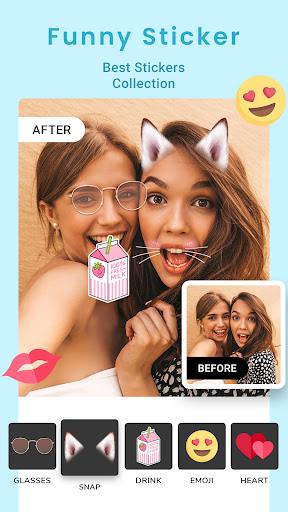
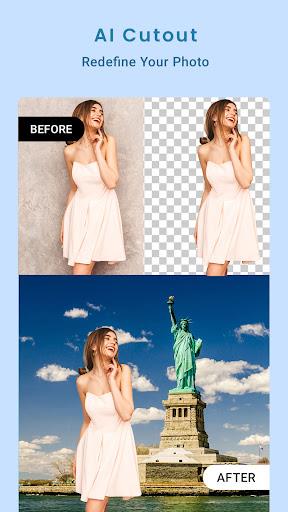
Blend Me focuses on merging two or more images into a single polished result. The app combines masking, blending modes, and adjustable opacity to help users craft realistic or stylized images. It supports high-resolution exports and offers contextual tools for quick adjustments without overwhelming menus.
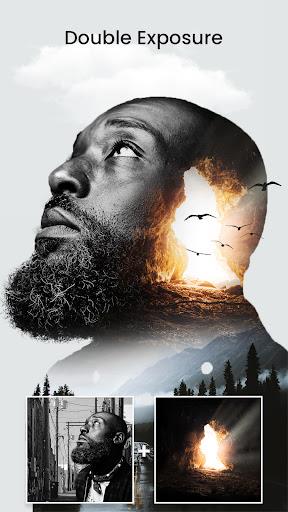
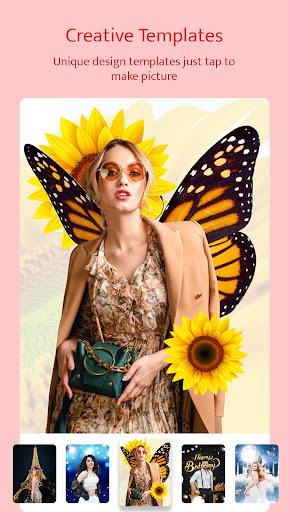
The workflow in Blend Me balances simplicity and power. New users can start with a template or quick blend, while advanced users can dive into masks and adjustment layers. The canvas responds to touch with minimal lag. Preset compositions help you learn common techniques like double exposure and portrait background swaps.
Blend Me organizes tools around a central timeline of layers. Each layer exposes controls for transform, opacity, and blend mode. The masking tool offers feather and hardness sliders to refine transitions. A dedicated auto-align option helps when combining images taken at slightly different angles.
Personalization is a big part of the app. You can import images from your gallery or cloud storage, apply LUTs, and save custom presets. The app also includes a customizable brush with pressure sensitivity support for styluses. Saved projects can be reopened and edited later, preserving layer structure and mask data.
Blend Me runs smoothly on mid-range devices thanks to efficient memory handling and optional lower-resolution previews. The interface uses clear icons and inline hints so tools are easy to find. A compact toolbar keeps common actions one tap away, while the advanced panel expands when you need more control.
Beginners will appreciate guided tutorials and sample projects that demonstrate common techniques step by step. For those familiar with desktop compositors, Blend Me mirrors many conventions, reducing friction. The app also includes undo history and snapshot previews so experiments are low risk.
Users gravitate to Blend Me for its balance of precision and accessibility. Photographers like the app for quick compositing on the go. Social creators value the presets and export options for consistent branding. The layered workflow and ability to revisit projects also make it useful for iterative design.
Installation is straightforward: download from the Play Store, grant storage permissions, and import your first image. Blend Me includes an onboarding tour that explains the main panels. Most users can produce a simple blended image within minutes.
Whether you need a fast double exposure or a detailed compositing tool, Blend Me delivers a compact, capable environment for creative image blending. Its mix of professional controls and approachable design makes it a practical choice for both enthusiasts and content creators.
Blend Me
Size:74.40M PhotographyMagicFace-AI Face Swap
Size:44.58M PhotographyGCamera
Size:15.90M PhotographyHuji Cam
Size:30.81M PhotographyCanon Camera Connect
Size:28.78M PhotographyFuno AI
Size:27.85M PhotographyAarya Editz
Size:9.19M PhotographyStory Editor
Size:59.51M PhotographyTimestamp Camera EnterprisePro
Size:6.59M PhotographyAniDub Max
Size:74.39M PhotographySnap Pro
Size:23.16M PhotographyFilmic Legacy
Size:38.19M PhotographyApril 2024 Clash of Clans Update: Unveiling a Fresh Companion, Enhanced Levels, Chat Tagging, and Be
2024-04-16Arrival of Genshin Impact 4.6 Update: 'Embers of Two Realms, Twilight of Crimson'
2024-04-16V2.2 of the Farlight 84 update introduces an overhauled Season structure, fresh in-game currency, an
2024-04-16Monster Never Cry is now accessible on both Android and iOS mobile devices.
2024-04-18PUBG Mobile Teams Up with Bentley Motors: Luxury Cars, Exclusive Collectibles, and Beyond
2024-04-18March 2024 Free Redemption Codes for Honkai: Star Rail
2024-04-18