English
Ticket Agent is a mobile application built to simplify ticket distribution and event logistics for organizers and field agents. The app centralizes common tasks such as assigning agents, enforcing per-agent booking limits, and applying permission-based access so teams can manage both free and paid tickets without confusion. Designed for event workflows that require clear accountability and repeatable processes, Ticket Agent helps organizers maintain quotas, control which ticket types each agent can sell, and gives agents a focused interface to support attendees on the ground.
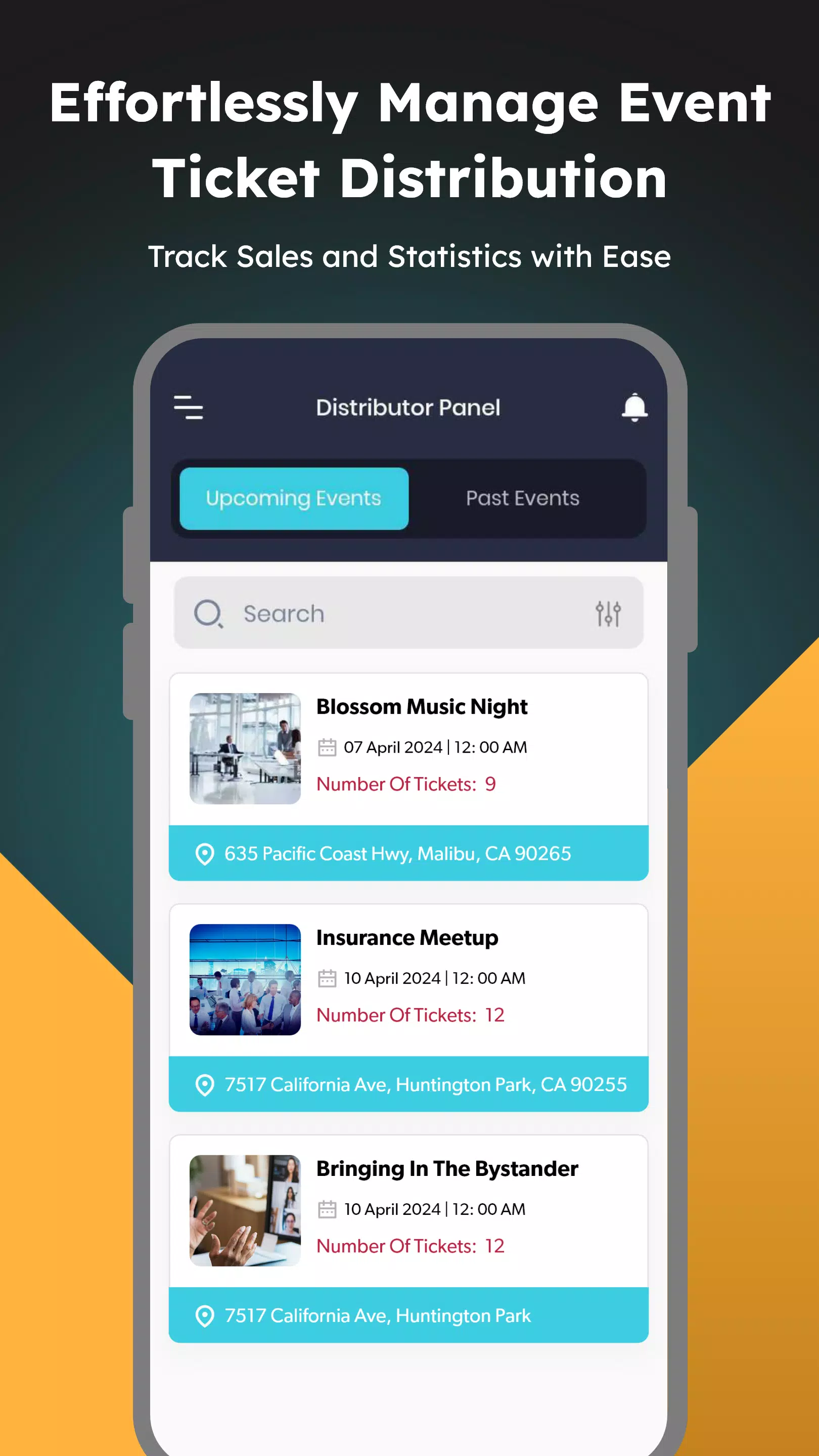
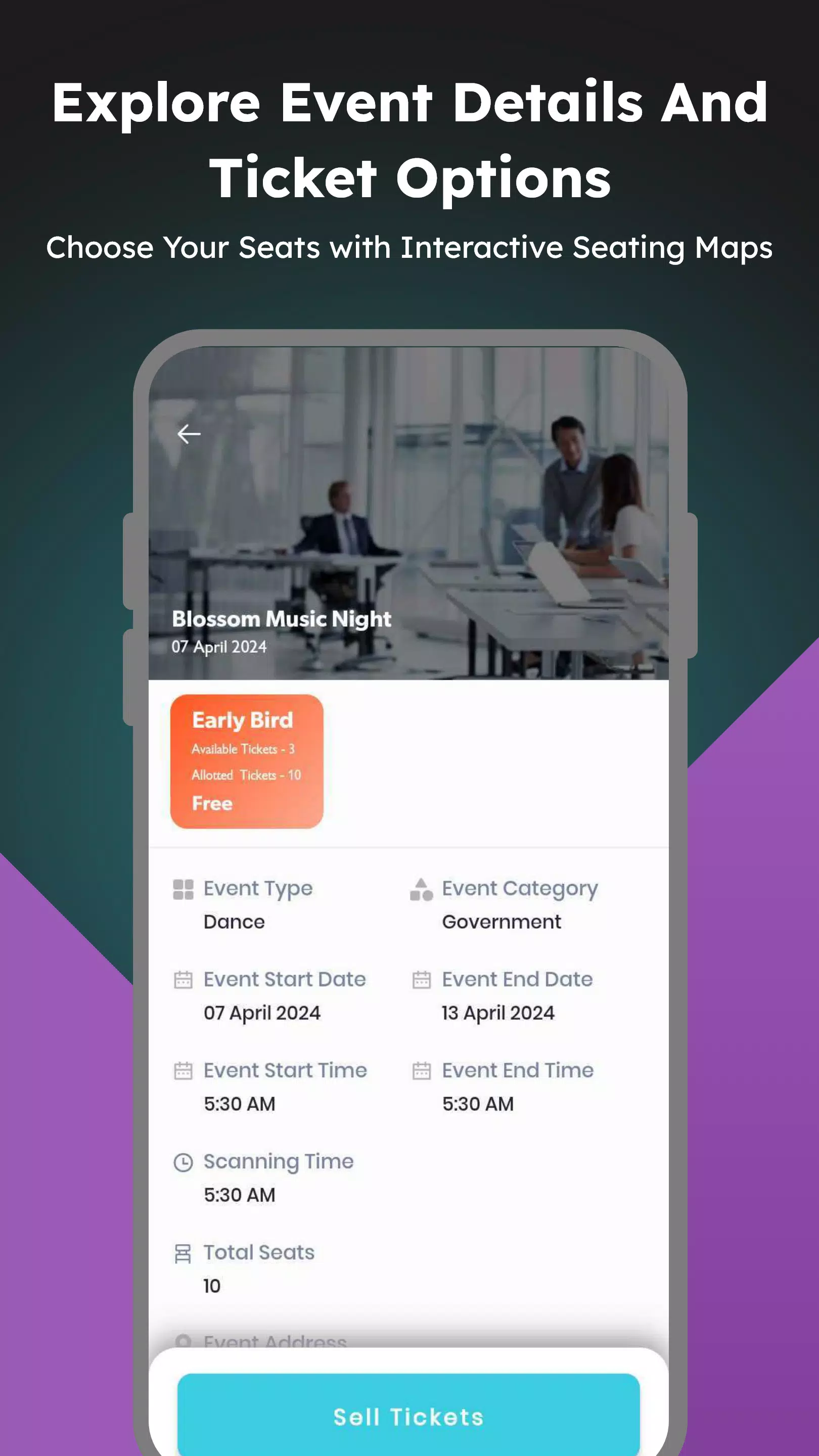
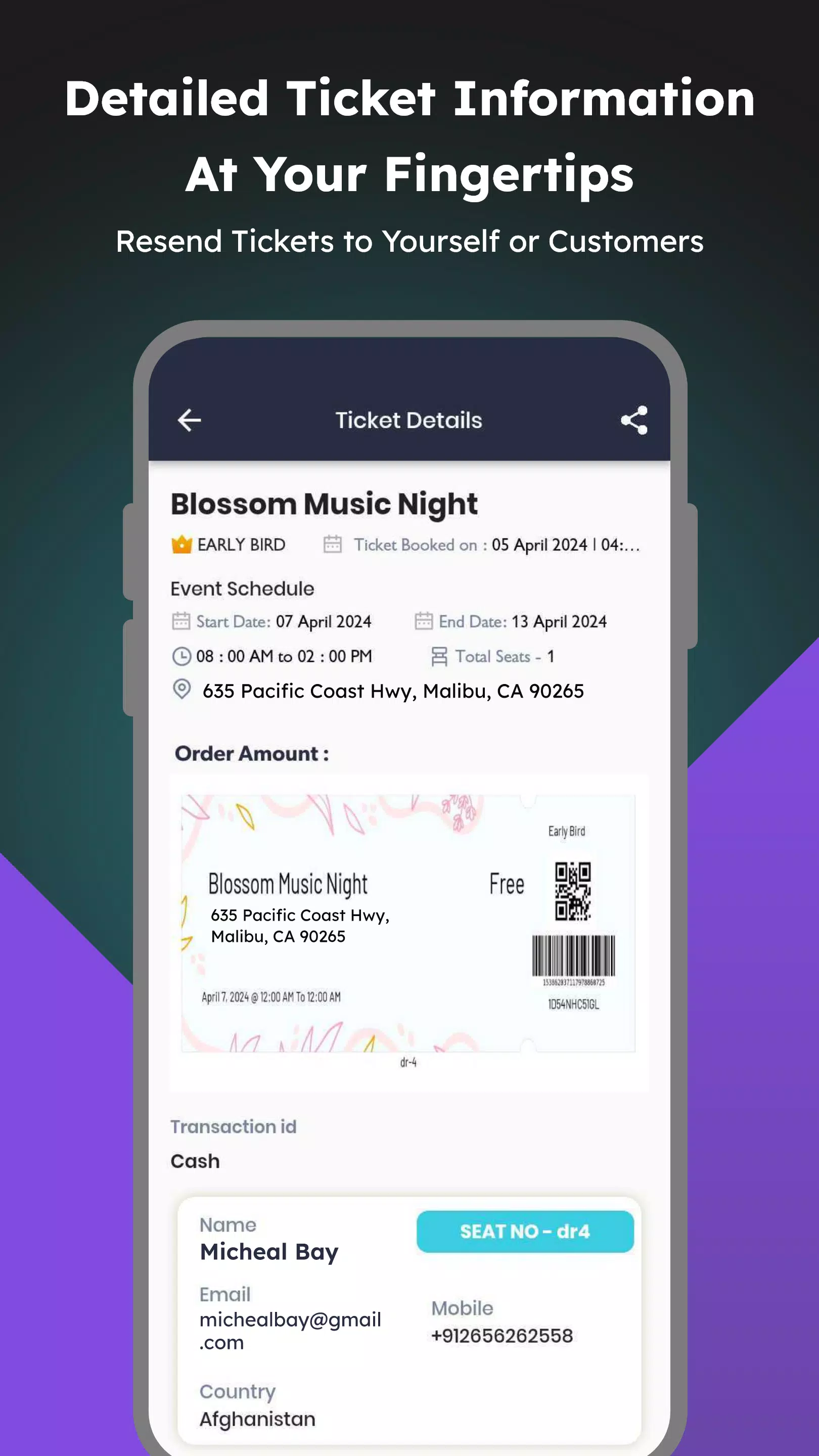
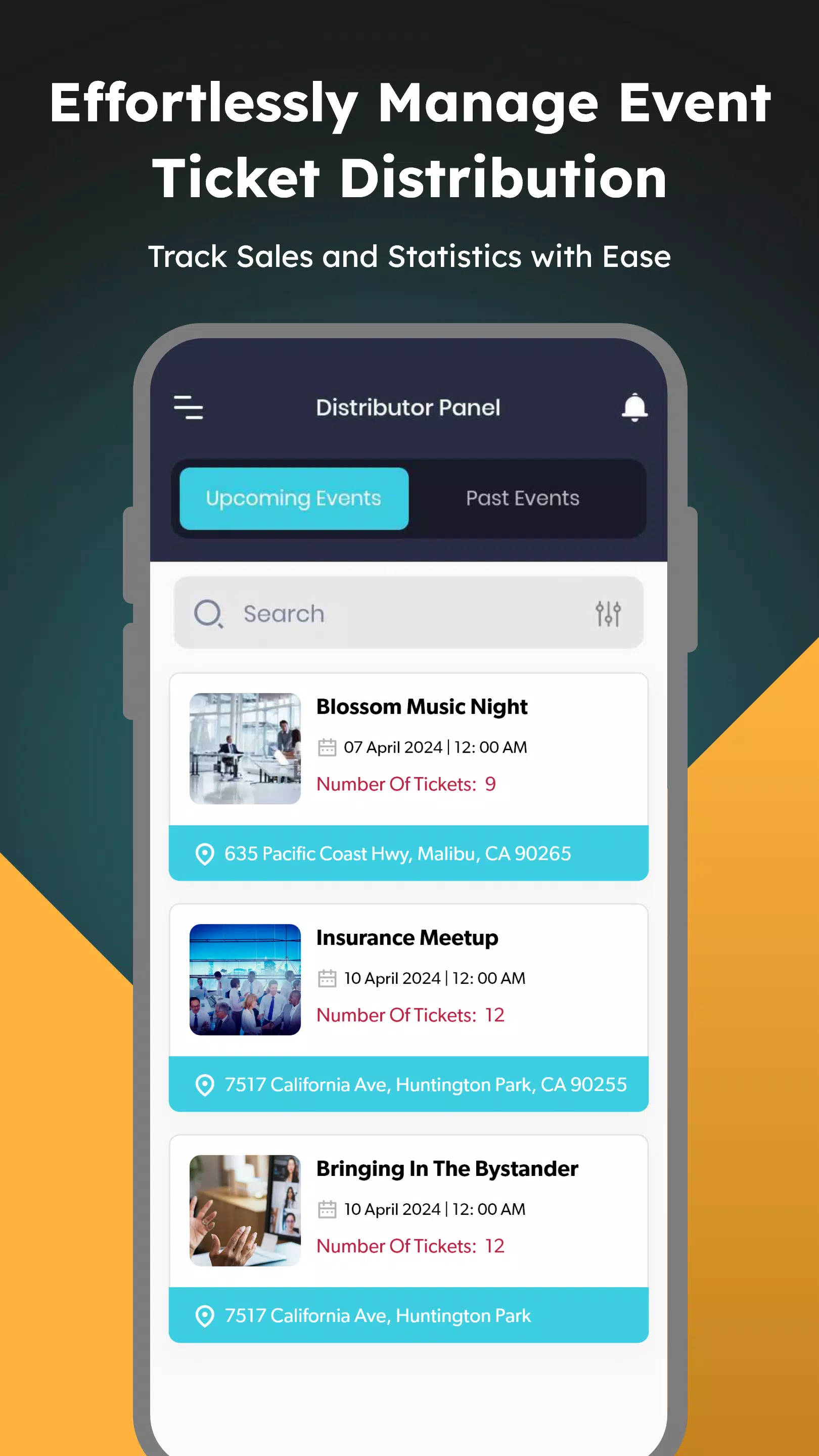
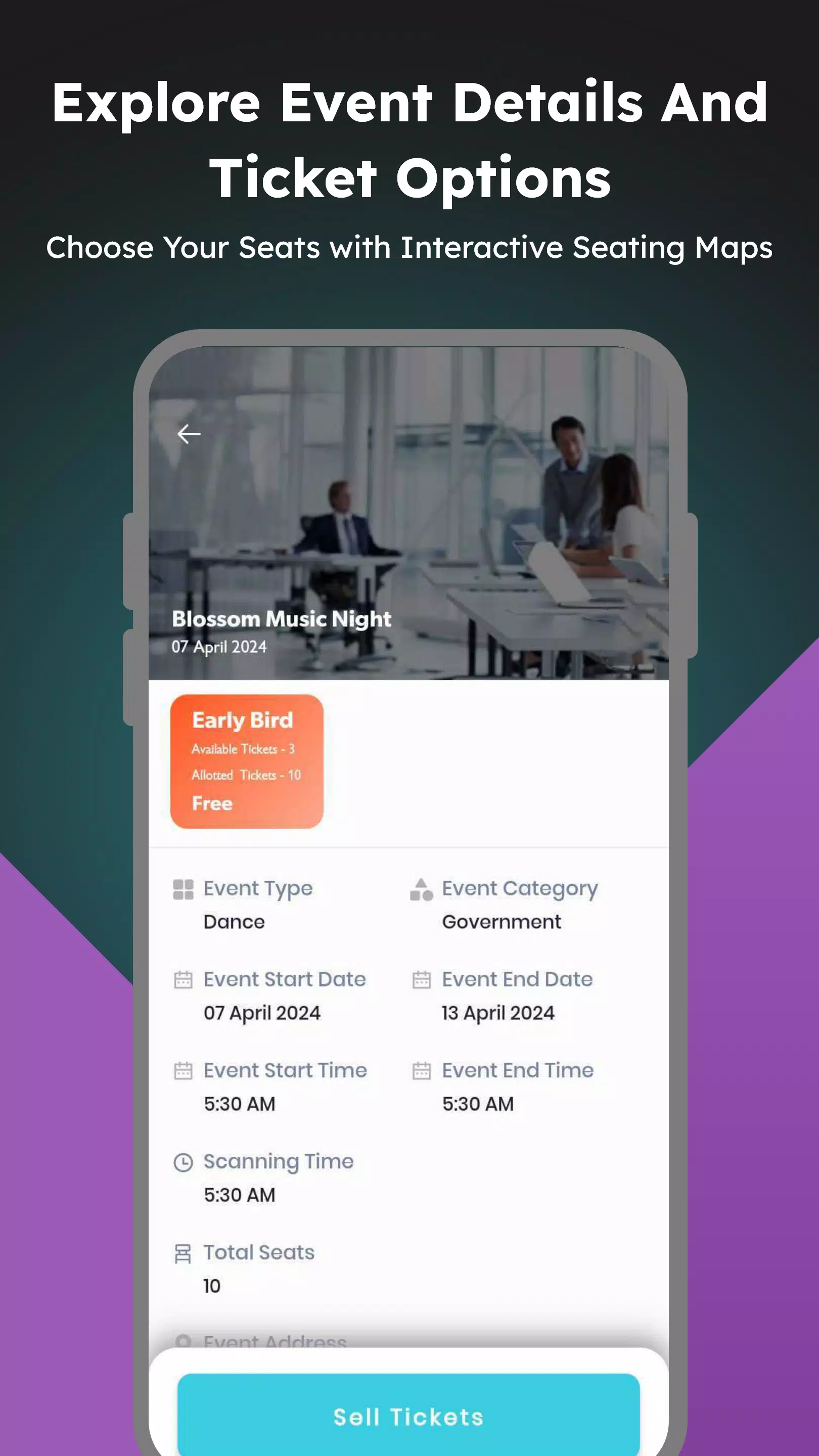
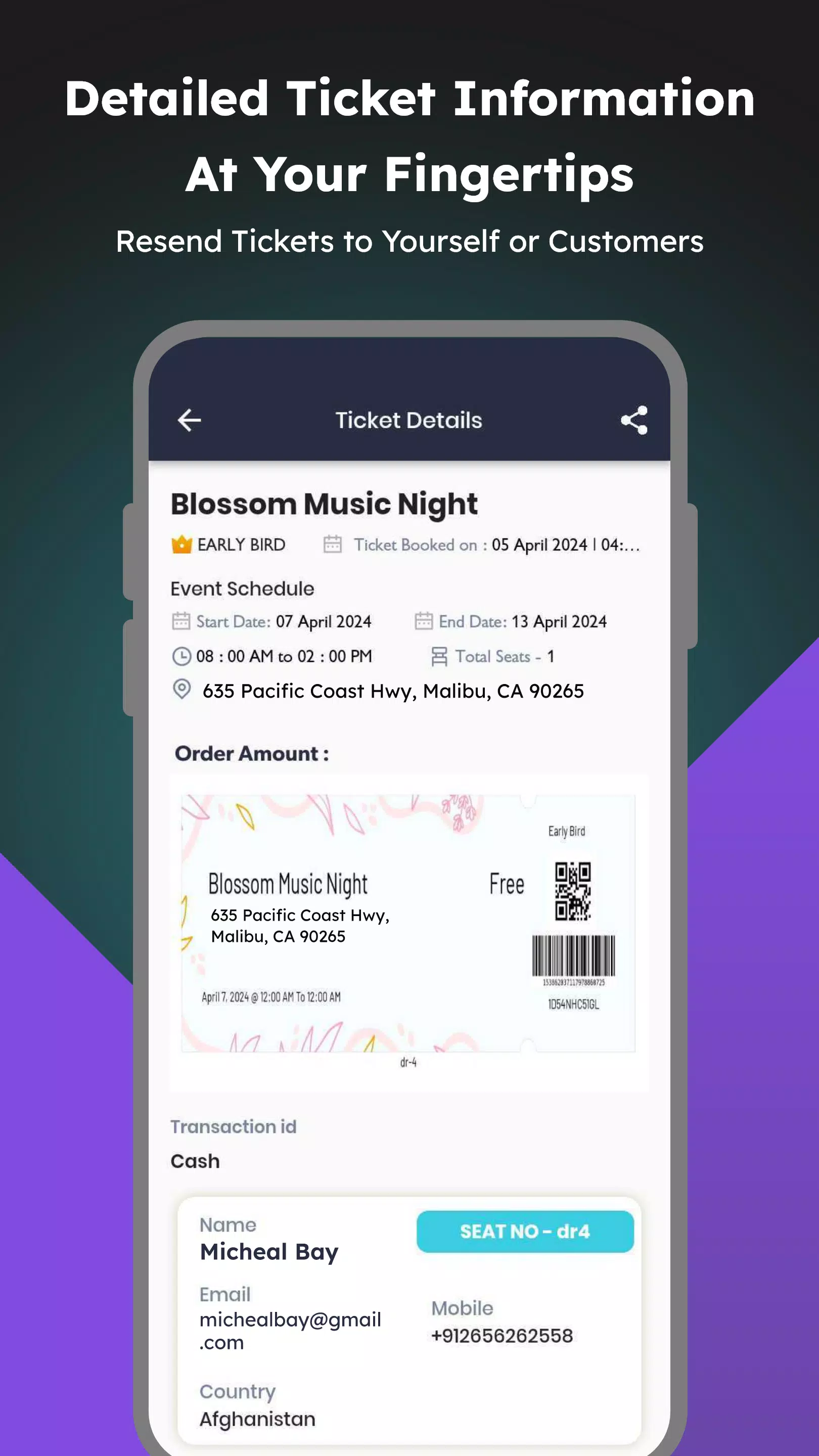
The core features include agent assignment and booking limits so organizers can allocate specific roles and caps for sales per agent; permission-based orders that restrict which ticket types an agent may handle; and a consolidated event overview that shows each assigned event with the most relevant details. Agents can view order history to reshare tickets or confirm purchase records when attendees ask for help, reducing delays at entry points. A simple allocation interface keeps configuration tasks straightforward so organizers can move from setup to live distribution quickly.
Ticket Agent follows a straightforward three-stage workflow: setup, assignment, and execution. During setup, organizers define events, ticket types, and total quotas. In the assignment phase, agents are added and permissions are attached to specific ticket types and booking limits. During execution, agents use the app to see only their assigned events and orders, which streamlines sales and customer support. Progress indicators and clear status markers guide users through the process so it’s easy to follow who is responsible for which tickets.
The app is optimized for touch interaction with clearly labeled buttons and a concise information hierarchy so agents can complete tasks quickly on mobile devices. Typical interactions include selecting an assigned event, filtering order history by date or purchaser, and using sharing controls to send tickets to attendees. The interface emphasizes speed and clarity: large tap targets, unambiguous confirmation dialogs for allocating or refunding tickets, and search fields to locate orders by name or reference number.
Organizers can streamline repeated events by reusing previous configurations: once quotas and permissions are set for a particular event type, those settings can serve as a reference for similar future events. This creates a simple progression path for teams that run multiple editions of the same show or recurring meetups. The ability to copy or mirror a prior event’s distribution settings reduces setup time and helps maintain consistent controls across a season of events.
The visual approach favors clarity and minimalism, using a dashboard-style layout that places high-priority information up front: remaining quotas, active agents, and recent orders. Customization options let organizers rename ticket categories, set descriptive labels for agent roles, and apply basic filters to the event list. Color-coded status markers and compact summaries on each event card help agents and organizers scan operations at a glance without digging through multiple screens.
Although the app is focused on distribution and agent workflows rather than on attendee experiences, it provides ongoing value across multiple events. Because the same settings and workflows can be reused, teams find decreased setup overhead and better consistency in handling day-of issues. Order history and resharing functionality continue to be useful after an event for follow-up support or auditing, increasing the app’s usefulness beyond a single performance.
Ticket Agent includes basic accessibility considerations such as scalable text, clear contrast in the UI, and straightforward navigation patterns to help users with different needs. For field conditions with unreliable connectivity, the app is designed to retain recently synced order records for short-term offline reference so agents can confirm tickets that were already downloaded. Organizers should plan initial syncs while connected to ensure agents have the latest data before heading on site.
On the positive side, Ticket Agent provides stronger control over ticket distribution through enforced booking limits and role-based permissions, improved accountability via explicit agent assignments and accessible order histories, and quicker on-site attendee support because agents have the records they need. Limitations include the app’s focused scope—teams that need a comprehensive event-management suite may require additional tools—and the fact that its effectiveness depends on organizers carefully configuring permissions and quotas. Resharing and order accuracy also rely on agents maintaining up-to-date records and clear communication.
To start using Ticket Agent, create your first event, define ticket types and total quotas, add agents and set per-agent limits, then assign permissions by ticket type. Run a quick sync before staff arrive on-site and use the dashboard to monitor quotas and order history during the event. With basic setup and consistent procedures, teams can reduce confusion at point of sale and improve accountability across the distribution chain.
Gaming Logo Maker ESports
Size:22.75M OtherHiShort
Size:62.40M OtherSolid Color Wallpapers
Size:14.90M OtherLike Launcher heart launcher
Size:28.30M OtherNBA G League
Size:70.55M OtherCreative Launcher
Size:25.87M OtherDelta Icon Pack
Size:42.80M OtherEarth Map Satellite Live View
Size:39.85M OtherCrunchyroll
Size:56.80M OtherWin 12 Launcher
Size:13.58M OtherM Launcher
Size:13.61M OtherOS Style Launcher
Size:10.90M OtherApril 2024 Clash of Clans Update: Unveiling a Fresh Companion, Enhanced Levels, Chat Tagging, and Be
2024-04-16Arrival of Genshin Impact 4.6 Update: 'Embers of Two Realms, Twilight of Crimson'
2024-04-16V2.2 of the Farlight 84 update introduces an overhauled Season structure, fresh in-game currency, an
2024-04-16Monster Never Cry is now accessible on both Android and iOS mobile devices.
2024-04-18PUBG Mobile Teams Up with Bentley Motors: Luxury Cars, Exclusive Collectibles, and Beyond
2024-04-18March 2024 Free Redemption Codes for Honkai: Star Rail
2024-04-18