
English
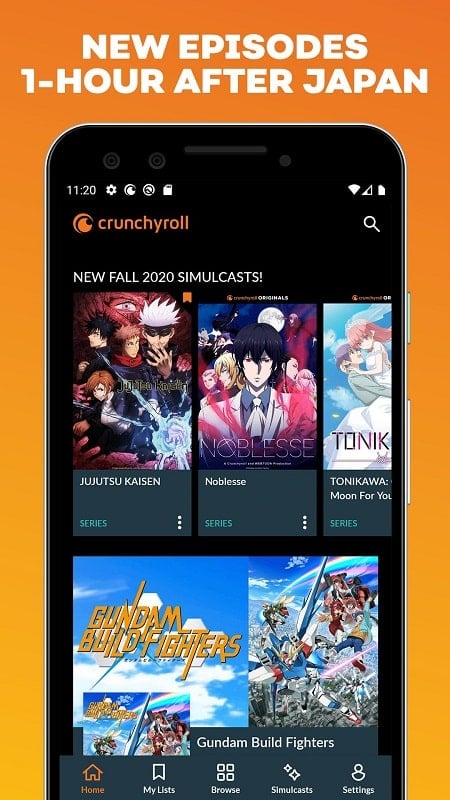
Crunchyroll is a dedicated streaming app that brings a vast library of anime and Asian entertainment to Android devices, offering simulcasts, dubbed episodes, subtitles in multiple languages, and organization tools. Fans can browse new releases, curate watchlists, and download episodes for offline playback across phones and tablets.
At its core, Crunchyroll is a media platform tailored for anime lovers and viewers of East Asian programs. The app aggregates content from studios worldwide, provides timely updates for ongoing series, and supports both free ad-supported viewing and premium plans with added benefits.
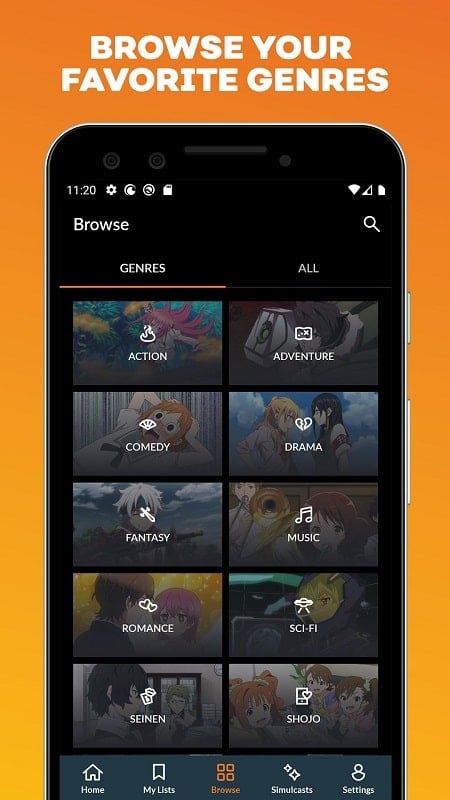
The design of Crunchyroll balances simplicity with functionality. Navigation centers on clear tabs for Browse, Search, and My List. Episode pages display synopses, episode lists, and related titles without clutter. Playback is responsive on a wide range of Android hardware, with adaptive streaming that adjusts bitrate to maintain smooth viewing under fluctuating network conditions.
Begin by creating a free account or signing in with existing credentials. Crunchyroll guides new users through a brief setup where preferred genres and titles can be selected to generate personalized recommendations. The search tool supports title, studio, and genre filters, making it fast to locate specific shows or discover new content.
Crunchyroll includes tiered plans that unlock ad-free playback, higher streaming quality, and unlimited simultaneous streams on certain plans. The download feature is straightforward: tap the download icon on an episode or season to store content locally. Downloads are managed within the app, where you can reorder or delete files to free device space.
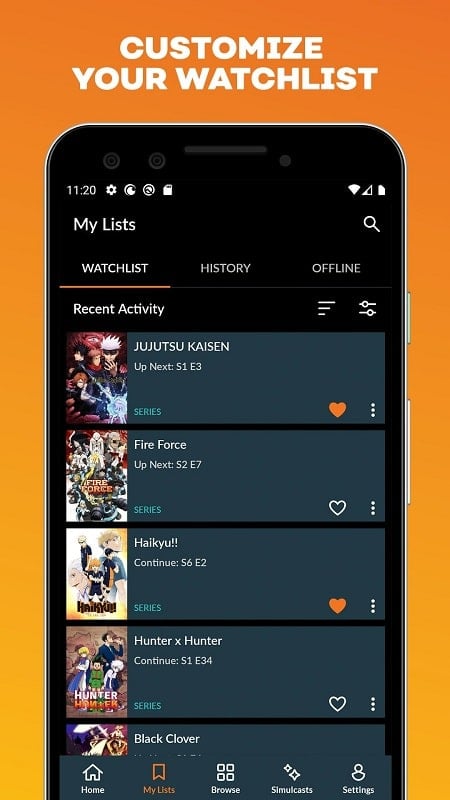
Crunchyroll supports profiles for household members and curates recommendations based on viewing patterns. The My List feature acts as a queue, and the player tracks episode progress so you can easily resume. Community elements include news updates, release schedules, and curated collections that highlight trending series or genres.
Playback quality ranges from standard definition to high definition, depending on subscription level and network speed. Crunchyroll is optimized for a wide array of Android devices and supports casting to compatible smart TVs. Regular updates aim to improve stability and expand format support.
Start with popular or critic-recommended series to get familiar with genre conventions. Make use of the watchlist to build a backlog and enable notifications for new episode drops to stay current with simulcasts. If you travel frequently, prioritize downloads of short seasons to maintain mobility without losing progress.
Crunchyroll remains a focused solution for consuming anime and related content with practical tools for personalization, offline viewing, and efficient navigation. Its combination of a curated library and device-friendly features makes it suitable for casual watchers and dedicated fans alike.
Gaming Logo Maker ESports
Size:22.75M OtherHiShort
Size:62.40M OtherSolid Color Wallpapers
Size:14.90M OtherLike Launcher heart launcher
Size:28.30M OtherNBA G League
Size:70.55M OtherCreative Launcher
Size:25.87M OtherDelta Icon Pack
Size:42.80M OtherEarth Map Satellite Live View
Size:39.85M OtherCrunchyroll
Size:56.80M OtherWin 12 Launcher
Size:13.58M OtherM Launcher
Size:13.61M OtherOS Style Launcher
Size:10.90M OtherApril 2024 Clash of Clans Update: Unveiling a Fresh Companion, Enhanced Levels, Chat Tagging, and Be
2024-04-16Arrival of Genshin Impact 4.6 Update: 'Embers of Two Realms, Twilight of Crimson'
2024-04-16V2.2 of the Farlight 84 update introduces an overhauled Season structure, fresh in-game currency, an
2024-04-16Monster Never Cry is now accessible on both Android and iOS mobile devices.
2024-04-18PUBG Mobile Teams Up with Bentley Motors: Luxury Cars, Exclusive Collectibles, and Beyond
2024-04-18March 2024 Free Redemption Codes for Honkai: Star Rail
2024-04-18















