English
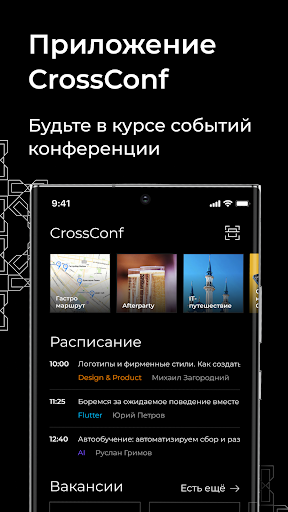
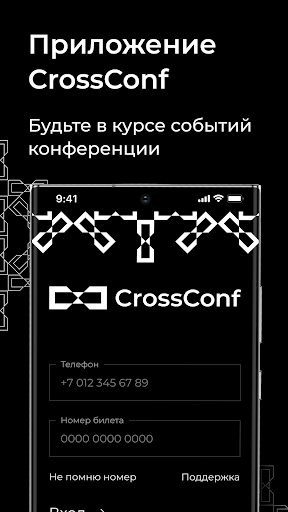
CrossConf – главное IT-событие is the official conference companion designed to help registered attendees explore the full program, find relevant talks and build a personalized visit plan with minimal friction. To get started you will sign in with your ticket number and phone number, after which the app exposes session details across multiple streams — Flutter, Mobile, Crossplatform, Management & Teamlead, Product & Design and emerging trends such as AI and related tools — and lets you quickly mark favorites and assemble a schedule that fits your role and interests.
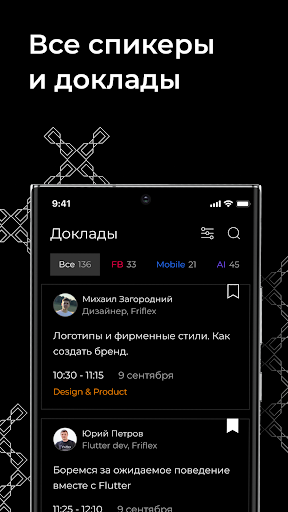
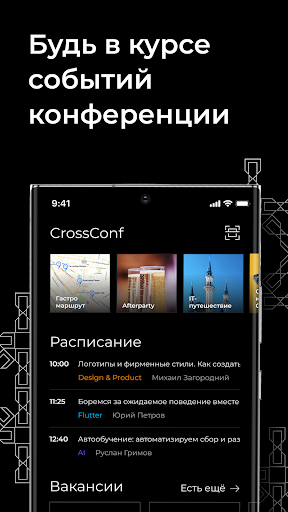
The schedule browser presents the complete program in a clear timeline so you can scan sessions by time, stream or topic. Each session entry includes a concise description, expected duration and metadata about intended audience level, helping you decide whether a talk matches your experience and goals. Filters and a search field speed up discovery when you are targeting specific technologies, speakers or themes.
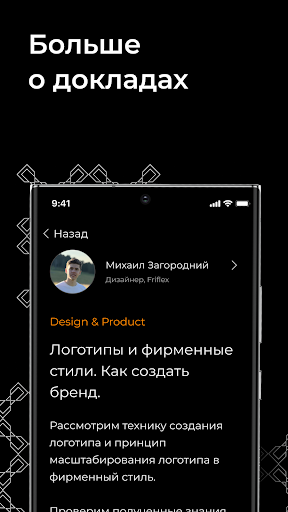
Speaker profiles collect bios, photo, affiliated company and the list of talks they present. Profiles make it easier to compare similar sessions and to prioritize which presenters to meet. When you tap a speaker or a session you see related talks and suggested alternative slots to avoid conflicts when two items overlap.
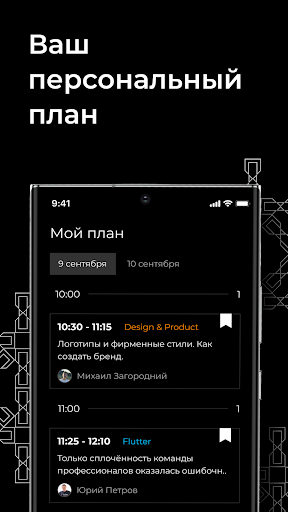
Creating and refining a personal schedule is done by tapping to add favorites and then confirming a draft itinerary. The app encourages incremental planning: add several candidate sessions, then resolve overlaps and finalize each day as your priorities become clearer. Visual indicators show free time between sessions so you can plan networking breaks or attend side events.
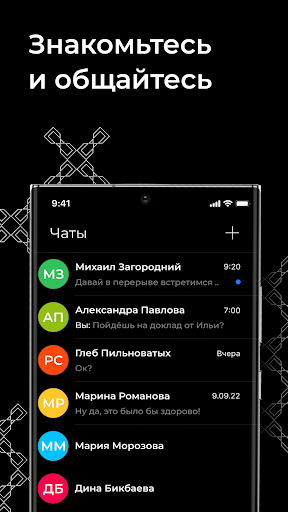
Networking tools are built around low-friction contact exchange and conversation. In-app chat threads let you follow up with other participants before, during and after sessions; badge scanning opens a digital contact card so you can import a colleague’s details without paper. The app preserves a local history of chats and scanned contacts so you can revisit introductions after the conference.
Navigation and controls are designed for fast, one-handed use in a busy venue: single taps add or remove favorites, swipe gestures move between days and streams, and long-press reveals quick options such as adding a personal note or flagging a session to attend with a teammate. The interface emphasizes discoverability while keeping the main actions simple and reliable under real-world conditions.
As you use the app it helps you track progress through the event: your personal agenda shows which sessions are upcoming, which you have marked as must-attend and which time slots remain flexible. You can attach short notes to any session to capture follow-up items, learning points or speaker references, so the app functions as a lightweight personal planner during and after the conference.
Visual design favors legibility in both bright conference halls and dim presentation rooms. Fonts, spacing and color contrast are tuned for easy scanning of long schedules and dense speaker lists. Accessibility options include adjustable text size and clear labels for interactive controls to support attendees who prefer larger type or rely on assistive technologies.
Offline reliability is considered for on-site use: once you sign in and browse the program, key data such as your saved schedule, favorites and downloaded session summaries are cached locally so you can reference them even when venue Wi‑Fi is slow or unavailable. Real-time features like badge scanning and live chat require connectivity, but primary planning functions remain usable without a continuous connection.
Privacy and practical limits are made explicit: access to CrossConf – главное IT-событие requires a valid ticket number and phone number, and some networking capabilities such as badge scanning require on-site presence and a conference badge. These constraints keep attendee lists accurate and help ensure meaningful, opt-in connections between participants.
CrossConf – главное IT-событие aims to be a practical, day-to-day tool for conference planning and networking rather than a feature-cluttered platform. Registered attendees will find it straightforward to curate a focused agenda, connect with peers, and keep notes on sessions they want to revisit after the event, all within a clean, responsive interface designed for real conference workflows.
Gaming Logo Maker ESports
Size:22.75M OtherHiShort
Size:62.40M OtherSolid Color Wallpapers
Size:14.90M OtherLike Launcher heart launcher
Size:28.30M OtherNBA G League
Size:70.55M OtherCreative Launcher
Size:25.87M OtherDelta Icon Pack
Size:42.80M OtherEarth Map Satellite Live View
Size:39.85M OtherCrunchyroll
Size:56.80M OtherWin 12 Launcher
Size:13.58M OtherM Launcher
Size:13.61M OtherOS Style Launcher
Size:10.90M OtherApril 2024 Clash of Clans Update: Unveiling a Fresh Companion, Enhanced Levels, Chat Tagging, and Be
2024-04-16Arrival of Genshin Impact 4.6 Update: 'Embers of Two Realms, Twilight of Crimson'
2024-04-16V2.2 of the Farlight 84 update introduces an overhauled Season structure, fresh in-game currency, an
2024-04-16Monster Never Cry is now accessible on both Android and iOS mobile devices.
2024-04-18PUBG Mobile Teams Up with Bentley Motors: Luxury Cars, Exclusive Collectibles, and Beyond
2024-04-18March 2024 Free Redemption Codes for Honkai: Star Rail
2024-04-18