
English
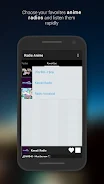
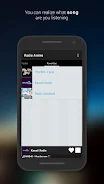
Anime Radio brings a curated stream of anime music, theme songs, and character tracks to your Android device. The app offers genre-based channels, easy playback controls, and customizable favorites so fans can listen to opening and ending themes, instrumental scores, and vocal tracks with minimal setup and smooth streaming.
Anime Radio organizes content into dedicated stations that focus on openings, endings, character songs, and background scores. Each station updates with fresh tracks and seasonal selections so listeners can follow new releases and rediscover classic tracks. Built-in search and quick filters let you jump to specific shows, composers, or musical eras.
The interface is designed for quick access and uninterrupted listening. A compact player bar remains visible while you browse, showing current song art, playback controls, and a progress indicator. Playlists are easy to manage: tap to queue, long-press to add to favorites, and swipe to remove. The navigation emphasizes minimal taps to reach popular stations and recently played lists.
Personalization is a strong point of Anime Radio. Users can build custom playlists from any track, tag favorites for offline access, and create themed queues for study sessions, workouts, or chill moments. Smart recommendations use your listening history to suggest new stations and similar artists without compromising privacy or requiring complex settings.
Streaming adapts to network conditions, switching between high and standard bitrates to prevent buffering on slower connections. The app supports background playback and handles interruptions gracefully so music resumes where it left off after calls or notifications. Efficient caching reduces data usage for recurring tracks while maintaining clear audio quality across devices.
Designed with broad compatibility in mind, Anime Radio runs on a wide range of Android versions and device sizes. The app is optimized to conserve battery life during long listening sessions and keeps memory usage low to avoid slowing other apps. Options for low-data mode and audio-only playback help listeners on limited plans.
Getting the most from Anime Radio is straightforward. Start by browsing curated playlists to find stations that match your mood. Use the favorite button to build a personal library, then switch to offline mode for commutes or flights. The queue system allows multiple playlists to be merged, making it easy to prepare a long session for work or study without manual rearrangement.
Tracks and stations within Anime Radio are presented with licensing and attribution where applicable. The app aims to respect artists and copyright holders by directing listeners to official releases and supporting links, giving users clear paths to purchase or stream full albums from authorized platforms.
Anime Radio gives anime music fans a focused, flexible platform for discovering and enjoying themes, background scores, and character songs. With intuitive controls, personalization features, and reliable streaming, the app fits into daily routines whether you want background ambiance while working or energetic openings to start your day. Try the stations, set up a few playlists, and explore the recommendations to expand your soundtrack library.

Gaming Logo Maker ESports
Size:22.75M OtherHiShort
Size:62.40M OtherSolid Color Wallpapers
Size:14.90M OtherLike Launcher heart launcher
Size:28.30M OtherNBA G League
Size:70.55M OtherCreative Launcher
Size:25.87M OtherDelta Icon Pack
Size:42.80M OtherEarth Map Satellite Live View
Size:39.85M OtherCrunchyroll
Size:56.80M OtherWin 12 Launcher
Size:13.58M OtherM Launcher
Size:13.61M OtherOS Style Launcher
Size:10.90M OtherApril 2024 Clash of Clans Update: Unveiling a Fresh Companion, Enhanced Levels, Chat Tagging, and Be
2024-04-16Arrival of Genshin Impact 4.6 Update: 'Embers of Two Realms, Twilight of Crimson'
2024-04-16V2.2 of the Farlight 84 update introduces an overhauled Season structure, fresh in-game currency, an
2024-04-16Monster Never Cry is now accessible on both Android and iOS mobile devices.
2024-04-18PUBG Mobile Teams Up with Bentley Motors: Luxury Cars, Exclusive Collectibles, and Beyond
2024-04-18March 2024 Free Redemption Codes for Honkai: Star Rail
2024-04-18


















