English
All Movie Downloader is a compact Android utility designed to save public-domain films, trailers, and licensed video files for offline viewing. It streamlines batch downloads, supports multiple formats, and integrates a simple player so users can organize, queue, and watch content without an internet connection.
At its core, All Movie Downloader is a downloader and organizer for video content you are legally permitted to save. The app focuses on speed and control: pick bitrate or resolution, run several downloads at once, and keep a tidy library. It’s a practical tool for commuters, educators, and anyone who needs reliable offline access to videos.
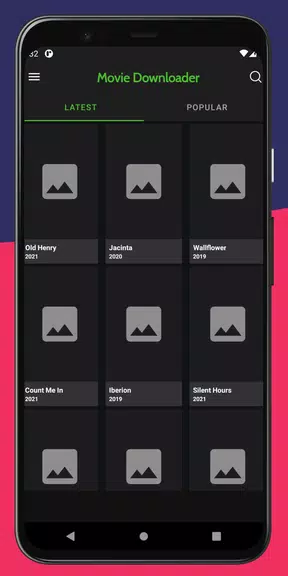
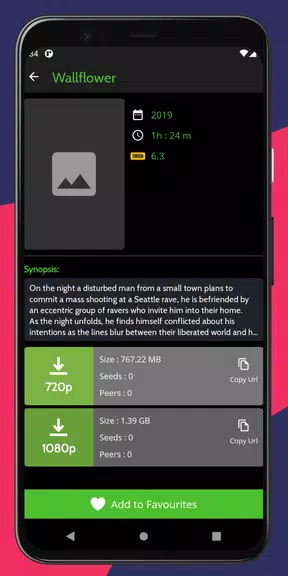
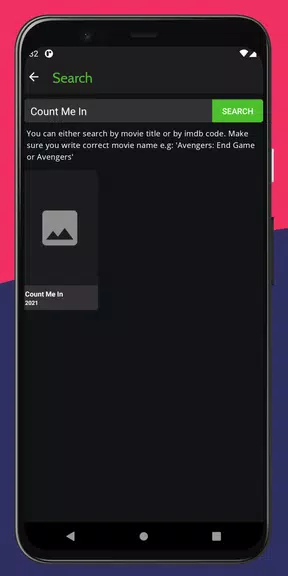
After pasting a supported link into All Movie Downloader, the app analyzes available streams and lists download options by resolution and size. Tap to queue one or several entries, then let the manager handle the rest. Downloads run in the background and show progress in the notification area. Completed files appear in the app’s library and are indexed for quick playback or sharing.
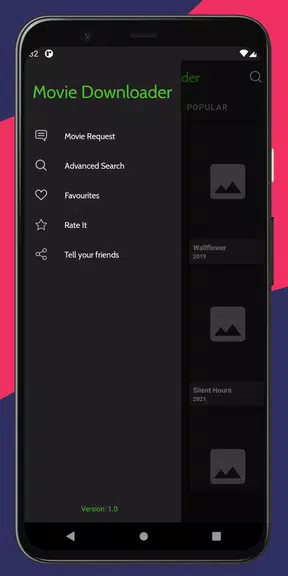
The interface keeps controls within reach: a compact queue pane, a library tab for completed items, and a settings menu for advanced tweaks. Under the hood, the app can use multiple connections per file to speed transfers and respects mobile data settings so you won’t accidentally download large files on metered networks. Visual feedback includes thumbnails, remaining time estimates, and transfer speeds.
All Movie Downloader includes simple metadata editing, so you can add titles, tags, or genres to files. A smart filter helps you find downloads by date, size, or tag. Playlists can be created from downloaded clips for uninterrupted viewing, and scheduled downloads let you run large tasks while on Wi‑Fi and leave background data untouched at other times.
Respect copyright: download only material you own, content distributed under Creative Commons or public domain, or files you have permission to save. The app provides options that make lawful usage straightforward and visible throughout the workflow.
Installation is typical for Android apps: grant storage and network permissions when prompted to enable downloading and file management. In settings you can change default download folders, toggle dark mode, and limit concurrent jobs. New users will appreciate the quick tutorial that explains queue controls and the library view.
Many users choose All Movie Downloader for its simple balance of features and performance. It doesn’t hide common controls behind deep menus, and the download manager is reliable on both phones and tablets. For people who need offline video access without complicated workflows, it provides everything necessary: speed, format choice, and a tidy playback experience.
Whether you’re preparing media for a presentation, saving public-domain classics, or keeping clips available for offline study, All Movie Downloader offers a focused, easy-to-manage solution for Android devices.
Gaming Logo Maker ESports
Size:22.75M OtherHiShort
Size:62.40M OtherSolid Color Wallpapers
Size:14.90M OtherLike Launcher heart launcher
Size:28.30M OtherNBA G League
Size:70.55M OtherCreative Launcher
Size:25.87M OtherDelta Icon Pack
Size:42.80M OtherEarth Map Satellite Live View
Size:39.85M OtherCrunchyroll
Size:56.80M OtherWin 12 Launcher
Size:13.58M OtherM Launcher
Size:13.61M OtherOS Style Launcher
Size:10.90M OtherApril 2024 Clash of Clans Update: Unveiling a Fresh Companion, Enhanced Levels, Chat Tagging, and Be
2024-04-16Arrival of Genshin Impact 4.6 Update: 'Embers of Two Realms, Twilight of Crimson'
2024-04-16V2.2 of the Farlight 84 update introduces an overhauled Season structure, fresh in-game currency, an
2024-04-16Monster Never Cry is now accessible on both Android and iOS mobile devices.
2024-04-18PUBG Mobile Teams Up with Bentley Motors: Luxury Cars, Exclusive Collectibles, and Beyond
2024-04-18March 2024 Free Redemption Codes for Honkai: Star Rail
2024-04-18