English
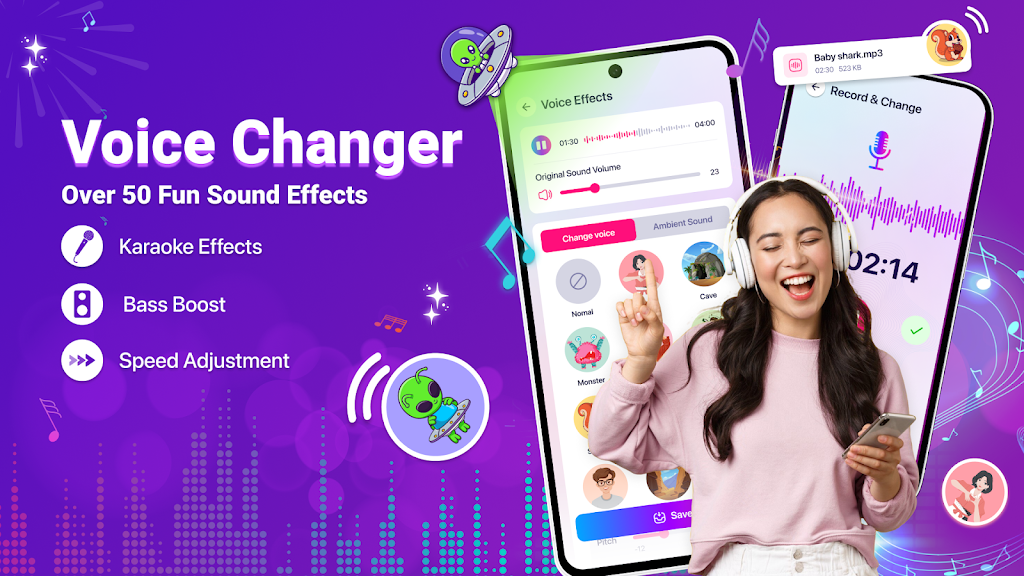
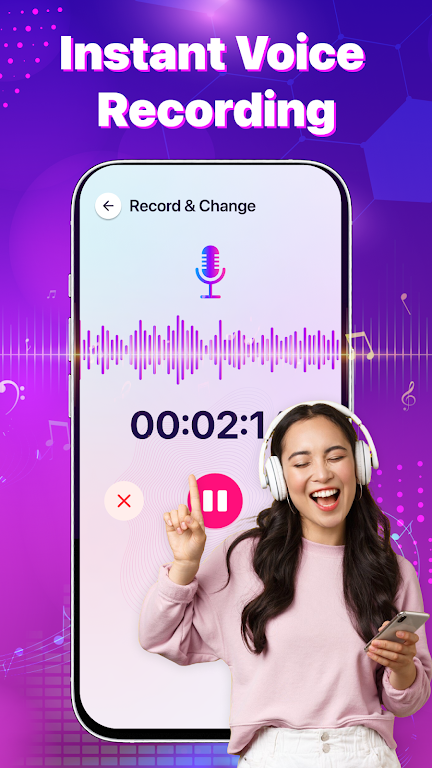
Voice Changer: Sound Effects is a compact audio utility that makes it simple to record, alter and export voice clips with playful or dramatic characterizations. The app places a clear recording button and a set of presets on a single screen so you can capture a phrase, preview an effect, and save the result in a few taps. Whether you want a short, funny message for social media, a theatrical narration for a video clip, or to experiment with different ambiences for a recording, Voice Changer: Sound Effects aims to keep the workflow fast and approachable while offering enough controls to personalize each output.
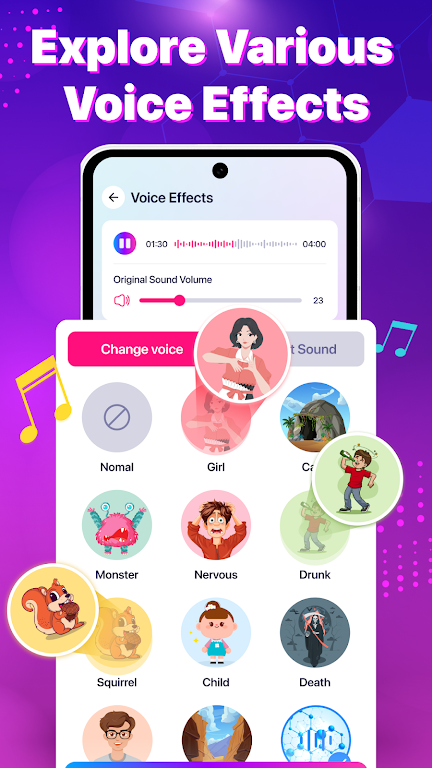
The application includes a wide selection of voice effects that cover character tones and environmental modifiers, from light, high-pitched transformations to deeper, cinematic voices and reverberant room models. Environmental options such as echo, reverb and subtle background textures let you place a voice in a virtual space rather than just altering pitch. Built-in presets provide instant results while adjustable parameters let you move beyond a one-size-fits-all effect: change pitch, clarity and output level to suit the source recording. The app also supports applying effects directly to video clips as well as standalone audio files, so you can export a processed track or a video ready for sharing.
Recording and editing in Voice Changer: Sound Effects follows a straightforward three-step process: record or import a clip, select or combine effects, then tweak and export. The primary controls are intentionally simple — sliders for pitch, a clarity or tone control to soften or sharpen the voice, and a volume control for final output — while advanced tweak options are tucked into an accessible settings area for users who want more precision. Real-time previewing lets you hear edits before committing, and the app performs processing locally so you can make changes offline without needing a network connection. Exported audio is saved to your device and can be shared through other apps installed on the phone.
You can save modified setups as custom presets for fast reuse and build a small personal library of favorite sounds. Combining character effects with environmental modifiers is encouraged, and the app records each change so you can step back through versions if you prefer an earlier take. Most effects are available at no cost, and the app offers optional premium packs that provide additional character voices and texture options for users who want a broader palette. These premium items are presented transparently inside the store area so you can preview sounds before deciding to purchase.
The replay value comes from experimentation: small adjustments to pitch and reverb can dramatically change mood, so the app is useful for quick creative tasks such as amusing voice messages, narration for short videos, audio snippets for content creation, or trying out character ideas for role-play and sketches. Exported results are standard audio files that integrate with messaging, social networks, and video editors, allowing you to reuse sounds across projects. Because edits are nondestructive until you export, you can revisit older recordings and iterate with new settings to keep content fresh.
The interface emphasizes clarity for first-time users while keeping additional options readable for power users. Large, labeled controls and clear preview feedback support users with limited audio experience, and the app is designed to operate smoothly on a wide range of devices so processing remains responsive. Offline capability means you can record and apply effects without an internet connection, which helps with privacy and convenience when working in the field or on the go.
While Voice Changer: Sound Effects is excellent for quick, creative voice edits, it is not a full multitrack digital audio workstation and does not replace studio-grade tools; some complex combinations of effects can sound artificial and may not meet professional audio production standards. The app focuses on single-track processing and creative experimentation rather than advanced multitrack editing or detailed mastering features. That said, its streamlined approach makes it a practical choice for casual creators, social content producers and anyone who needs a fast, approachable way to shape vocal content.
Audio files edited inside the app are saved locally on the device unless you choose to share them through another app or upload them manually; this keeps control in the user’s hands and aligns with a straightforward privacy approach. Sharing options use the device's native share sheet so you can send processed clips to messaging apps, email or social platforms without needing specialized integrations. If you value simple, hands-on voice editing on a mobile device, Voice Changer: Sound Effects provides a compact toolkit for creative audio exploration.
Gaming Logo Maker ESports
Size:22.75M OtherHiShort
Size:62.40M OtherSolid Color Wallpapers
Size:14.90M OtherLike Launcher heart launcher
Size:28.30M OtherNBA G League
Size:70.55M OtherCreative Launcher
Size:25.87M OtherDelta Icon Pack
Size:42.80M OtherEarth Map Satellite Live View
Size:39.85M OtherCrunchyroll
Size:56.80M OtherWin 12 Launcher
Size:13.58M OtherM Launcher
Size:13.61M OtherOS Style Launcher
Size:10.90M OtherApril 2024 Clash of Clans Update: Unveiling a Fresh Companion, Enhanced Levels, Chat Tagging, and Be
2024-04-16Arrival of Genshin Impact 4.6 Update: 'Embers of Two Realms, Twilight of Crimson'
2024-04-16V2.2 of the Farlight 84 update introduces an overhauled Season structure, fresh in-game currency, an
2024-04-16Monster Never Cry is now accessible on both Android and iOS mobile devices.
2024-04-18PUBG Mobile Teams Up with Bentley Motors: Luxury Cars, Exclusive Collectibles, and Beyond
2024-04-18March 2024 Free Redemption Codes for Honkai: Star Rail
2024-04-18