English
Watch Party brings remote streaming and synchronized viewing to Android devices, letting friends and family watch movies, shows, and live streams together in real time. The app syncs playback, supports chat and emoji reactions, and offers easy room creation for quick, private viewing sessions across devices.
Designed for casual hangouts and organized watch sessions alike, Watch Party focuses on low-friction group viewing. It combines media synchronization with lightweight social tools so that participants feel connected even when they are miles apart. The app supports public and private rooms, cross-device joining, and several content sources depending on what you and your group prefer.
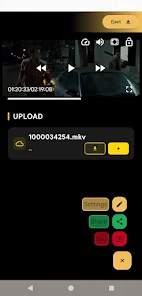
Watch Party connects devices by creating a sharing session, then streaming either a linked source or a locally uploaded file that all participants access. The host starts playback, and the app sends lightweight sync signals to other devices to maintain timing. Built-in buffering logic minimizes desyncs when network conditions vary.
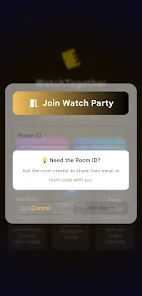
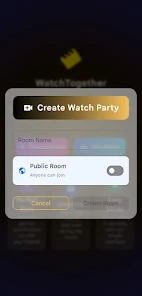
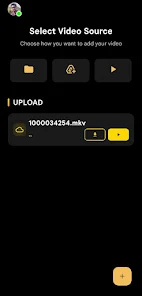
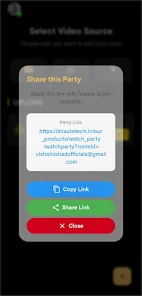
To start, the host selects content from supported providers or uploads a compatible file. Next, they configure room settings: privacy level, participant permissions, and whether chat is enabled. Finally, the host shares an invite link or a room code which others use to join instantly.
The interface emphasizes simplicity. A compact control bar houses play, pause, seek, and volume, while chat and participant lists stay on a collapsible panel. Watch Party balances responsiveness with battery efficiency; adaptive sync adjusts update frequency to reduce CPU load on lower-end devices.
Icons are clear and readable, and dark or light themes are available to suit viewing environments. Subtitles are supported when provided by the media source, and basic accessibility tweaks—large tap targets and screen-reader labels—make the app easier to navigate.
Watch Party works well for movie nights with friends, synchronized watch-alongs for shows, or educational screening sessions where group discussion happens alongside content. Use private rooms for family gatherings and open rooms for public fan watch events with moderation enabled to keep the discussion focused.
Users appreciate how quickly sessions form and how minimal setup feels. Rather than juggling multiple apps for messaging and streaming, Watch Party brings both into a single flow. The balance of privacy controls and social features makes it suitable for both intimate gatherings and larger community events.
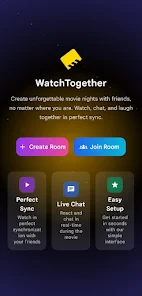
Install the app from your preferred store, sign in with a lightweight account or join as a guest, and then create a room in three taps. Invite friends using a link or a QR code. As you host more sessions, explore moderation features and custom room names to keep recurring events organized.
Whether you want an easy way to share a new release or a dependable platform for weekly viewing clubs, Watch Party provides the core tools without unnecessary complexity. It’s reliable, approachable, and built to keep attention on the content and the conversation.
Gaming Logo Maker ESports
Size:22.75M OtherHiShort
Size:62.40M OtherSolid Color Wallpapers
Size:14.90M OtherLike Launcher heart launcher
Size:28.30M OtherNBA G League
Size:70.55M OtherCreative Launcher
Size:25.87M OtherDelta Icon Pack
Size:42.80M OtherEarth Map Satellite Live View
Size:39.85M OtherCrunchyroll
Size:56.80M OtherWin 12 Launcher
Size:13.58M OtherM Launcher
Size:13.61M OtherOS Style Launcher
Size:10.90M OtherApril 2024 Clash of Clans Update: Unveiling a Fresh Companion, Enhanced Levels, Chat Tagging, and Be
2024-04-16Arrival of Genshin Impact 4.6 Update: 'Embers of Two Realms, Twilight of Crimson'
2024-04-16V2.2 of the Farlight 84 update introduces an overhauled Season structure, fresh in-game currency, an
2024-04-16Monster Never Cry is now accessible on both Android and iOS mobile devices.
2024-04-18PUBG Mobile Teams Up with Bentley Motors: Luxury Cars, Exclusive Collectibles, and Beyond
2024-04-18March 2024 Free Redemption Codes for Honkai: Star Rail
2024-04-18