English
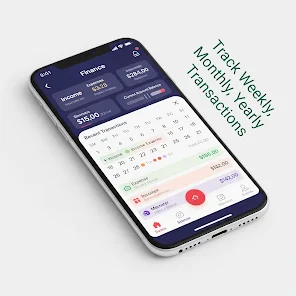
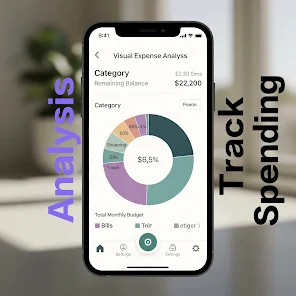
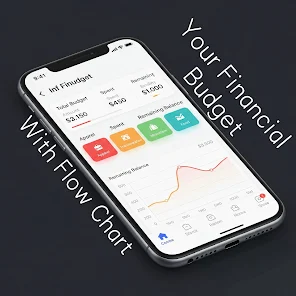
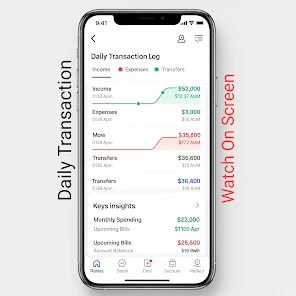
My Money Manager 2026 is a modern personal finance app that helps you track expenses, manage budgets, and plan savings across accounts. It provides clear summaries, automatic categorization, and customizable budgets so users can see where money goes and make smarter financial decisions month to month.
My Money Manager 2026 groups essential tools in a tidy interface designed for quick access. Automatic transaction import connects to bank accounts and credit cards, while intelligent categorization tags spending so you can review patterns without heavy manual entry. Budgets can be set by category, period, or goal, and alerts notify you when limits are close.
The app places emphasis on clarity. Transactions are presented in chronological lists with category labels, merchant details, and notes. Filters let you isolate specific months, categories, or accounts, while a search field locates entries instantly. Savings goals appear alongside current balances, so you always know how far you are from a target.
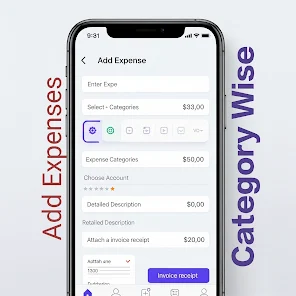
The user interface favors a simple hierarchy: overview, accounts, budgets, and reports. The overview screen shows your net position and next bills; tapping an account reveals recent activity and available balance. Adding an expense takes only a few taps—select account, amount, category, and optional note. Templates speed up repeated entries for users who prefer manual input.
Security is treated as a priority. The app supports PIN, biometric unlock, and encrypted storage for locally-held data. Connections to financial institutions use industry-standard APIs and encryption layers so credentials are not stored in plain text. Compatibility spans a wide range of Android versions and device sizes, with adaptive layouts for phones and tablets.
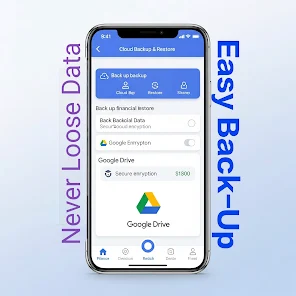
Sync cycles are optimized to reduce battery and data usage. Background updates refresh account balances at configurable intervals, and conflict resolution is straightforward when edits happen on multiple devices. The sync system also supports offline edits: entries made without a connection merge automatically once the device is back online.
Reporting options include export to CSV and PDF for tax time or deeper analysis. Customize report timeframes and categories to reflect unique financial situations. Themes and layout choices let you emphasize numbers, charts, or lists depending on whether you prefer a visual or data-driven perspective.
Start by connecting your main checking and credit accounts, then enable automatic categorization and review the first week of suggestions. Create one or two high-priority budgets—such as groceries and entertainment—before adding more detailed categories. Use recurring transactions to handle rent and subscriptions so they don’t pollute your monthly expense view.
My Money Manager 2026 combines automation with flexible controls that suit casual users and those wanting deeper financial oversight. Regularly review the reports, tweak category rules, and set short-term goals to keep momentum toward bigger savings plans.
Gaming Logo Maker ESports
Size:22.75M OtherHiShort
Size:62.40M OtherSolid Color Wallpapers
Size:14.90M OtherLike Launcher heart launcher
Size:28.30M OtherNBA G League
Size:70.55M OtherCreative Launcher
Size:25.87M OtherDelta Icon Pack
Size:42.80M OtherEarth Map Satellite Live View
Size:39.85M OtherCrunchyroll
Size:56.80M OtherWin 12 Launcher
Size:13.58M OtherM Launcher
Size:13.61M OtherOS Style Launcher
Size:10.90M OtherApril 2024 Clash of Clans Update: Unveiling a Fresh Companion, Enhanced Levels, Chat Tagging, and Be
2024-04-16Arrival of Genshin Impact 4.6 Update: 'Embers of Two Realms, Twilight of Crimson'
2024-04-16V2.2 of the Farlight 84 update introduces an overhauled Season structure, fresh in-game currency, an
2024-04-16Monster Never Cry is now accessible on both Android and iOS mobile devices.
2024-04-18PUBG Mobile Teams Up with Bentley Motors: Luxury Cars, Exclusive Collectibles, and Beyond
2024-04-18March 2024 Free Redemption Codes for Honkai: Star Rail
2024-04-18