English
Anigo is a mobile productivity app that streamlines how you collect, tag, and retrieve visual and written notes. Designed for fast organization and secure offline access, Anigo aims to reduce clutter while speeding up everyday workflows for students, creatives, and professionals who rely on quick capture and precise search.
Anigo acts like a lightweight digital lab for your ideas. It merges simple file management with powerful tagging and batch editing so you can save screenshots, photos, voice memos, and short text entries without losing context. The app emphasizes speed: capture, categorize, and find — all within a few taps.
Using Anigo follows a simple three-step loop: capture, organize, retrieve. When you save an item it appears in an inbox where you can quickly apply tags or drag it into a collection. Collections act like playlists for content — ideal for research folders, moodboards, or meeting notes. The search bar supports query operators (AND/OR), date ranges, and tag exclusion, so locating a note becomes predictable rather than accidental.
The interface for Anigo prioritizes readability and gesture-driven navigation. Panels are kept minimal to reduce cognitive load, and a compact toolbar exposes the most common actions. Animations are subtle and focus on clarity: transitions indicate where content moves without getting in the way. Performance is tuned for mid-range devices; large libraries are paginated and indexed to prevent slowdowns during searches.
Anigo fits many routines. Students can collect lecture snaps and create study collections. Designers assemble references and generate moodboards. Field workers capture site photos and attach voice notes for quick reporting. The app’s offline-first model makes it especially useful where connectivity is unreliable; synchronization can be deferred until a stable connection is available.
People choose Anigo because it balances robust organization with a gentle learning curve. It doesn’t force rigid folder hierarchies; instead it offers flexible tags and fast search so content remains discoverable. The combination of batch operations and local-first privacy appeals to users who want control without sacrificing speed.
Download and open the app, grant camera and storage permissions if prompted, then capture a few items to explore tagging and search. A short walkthrough inside Anigo introduces the inbox, collections, and export options so you can be productive within minutes.
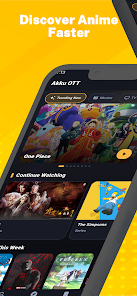

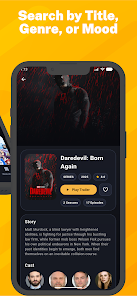

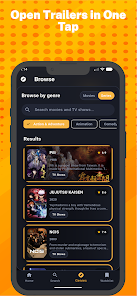
Gaming Logo Maker ESports
Size:22.75M OtherHiShort
Size:62.40M OtherSolid Color Wallpapers
Size:14.90M OtherLike Launcher heart launcher
Size:28.30M OtherNBA G League
Size:70.55M OtherCreative Launcher
Size:25.87M OtherDelta Icon Pack
Size:42.80M OtherEarth Map Satellite Live View
Size:39.85M OtherCrunchyroll
Size:56.80M OtherWin 12 Launcher
Size:13.58M OtherM Launcher
Size:13.61M OtherOS Style Launcher
Size:10.90M OtherApril 2024 Clash of Clans Update: Unveiling a Fresh Companion, Enhanced Levels, Chat Tagging, and Be
2024-04-16Arrival of Genshin Impact 4.6 Update: 'Embers of Two Realms, Twilight of Crimson'
2024-04-16V2.2 of the Farlight 84 update introduces an overhauled Season structure, fresh in-game currency, an
2024-04-16Monster Never Cry is now accessible on both Android and iOS mobile devices.
2024-04-18PUBG Mobile Teams Up with Bentley Motors: Luxury Cars, Exclusive Collectibles, and Beyond
2024-04-18March 2024 Free Redemption Codes for Honkai: Star Rail
2024-04-18