English
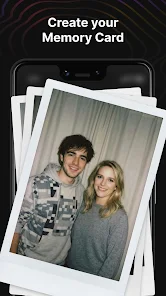
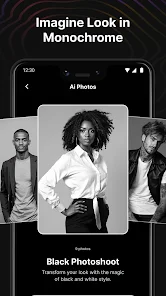
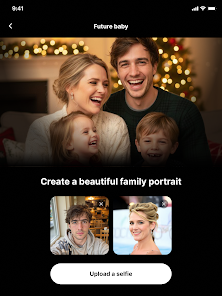
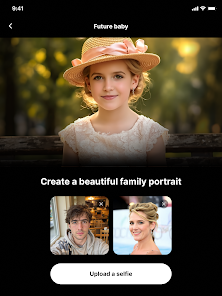
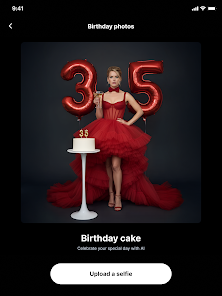
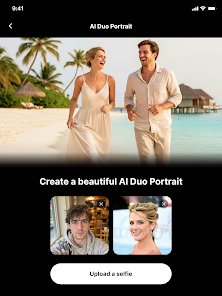
HypnoPixels - AI Generator turns short text prompts and reference images into refined visuals on your Android device, offering a balance of quick on-device previews and optional cloud-assisted high-resolution exports. The app targets creators who want practical control without a steep learning curve, combining straightforward prompt input, layered editing, and export-ready outputs so you can move from idea to image with minimal friction.
HypnoPixels - AI Generator provides an integrated pipeline for generating and shaping images: enter a descriptive prompt, choose a style preset, review multiple previews, and refine the chosen result in a non-destructive editor. The app supports common aspect ratios and file formats, and it keeps the interface focused on the creative task rather than on menus, so both hobbyists and professionals can produce shareable artwork quickly.
The generation workflow is split into prompt creation, preview generation, and iterative refinement. Previews render fast on-device so you can compare compositions and mood variations, while the editor exposes layered controls for foreground, background, and effects. Rather than replacing the original output, edits are stored as adjustment layers, enabling selective re-generation of areas and deliberate iteration until the composition and lighting feel right.
Controls are designed for touch: large sliders for exposure, color balance, and detail; pinching and dragging to reposition or scale elements; and brush masks for targeted refinements. Contextual tooltips appear the first few times you access complex features, and the editor supports undo history so experimentation is low-risk. The interface emphasizes direct manipulation over deep submenus to reduce friction during creative sessions.
You can build a personal library of presets and templates to speed repeatable tasks, which creates a subtle progression as your collection grows. Advanced settings expose sampling steps, seed values, and noise controls for users who want deterministic results or specific stylistic behaviors. Saved templates keep parameter sets intact so projects evolve consistently and you can reproduce favorite looks across multiple images.
Performance is tailored to typical Android hardware: thumbnail previews and lighter operations run locally for low-latency iteration, while optional cloud acceleration handles large exports and the heaviest synthesis tasks. This hybrid approach lets you work offline for quick idea generation and switch to online mode when you need higher resolution or updated models. Regular app updates add style packs and optimization improvements without changing the core workflow.
The app emphasizes accessibility and sustained usability with adjustable font sizes, a high-contrast mode, and simple keyboard navigation where supported. Built-in tutorials and example prompts help new users discover effective phrase patterns, while advanced users can skip tutorials and jump straight into parameter control. The UX focuses on clarity: visual feedback, progress indicators during exports, and explicit save states for different project versions.
Typical uses include rapid concept mockups, marketing thumbnails, stylized avatars, and teaching examples for creative workflows. Replay value comes from iterative refinement: changing a prompt, swapping a preset, or re-seeding an image produces fresh variations without starting from scratch. The combination of template management and non-destructive layers encourages experimentation and repeated revisits to projects as ideas evolve.
Be specific in prompts by adding lighting, mood, and composition cues to reduce randomness. Lock seeds for reproducible iterations, combine multiple presets to create hybrid styles, and use previews to confirm composition before committing to a high-resolution export. When bandwidth is limited, work locally on previews and queue exports for when a stable connection is available.
HypnoPixels installs like a standard Android application and requests typical permissions for local storage and optional cloud features. It runs smoothly on mid-range devices for everyday tasks but recommends a reliable internet connection for full-resolution exports or model updates. Frequent updates add new styles, performance fixes, and editor improvements while maintaining backward compatibility with saved projects.
For a mobile-first image creation workflow that blends speed, layered control, and practical export options, HypnoPixels - AI Generator is a compact toolset that helps you iterate visually and deliver polished assets that plug into standard creative pipelines.






Gaming Logo Maker ESports
Size:22.75M OtherHiShort
Size:62.40M OtherSolid Color Wallpapers
Size:14.90M OtherLike Launcher heart launcher
Size:28.30M OtherNBA G League
Size:70.55M OtherCreative Launcher
Size:25.87M OtherDelta Icon Pack
Size:42.80M OtherEarth Map Satellite Live View
Size:39.85M OtherCrunchyroll
Size:56.80M OtherWin 12 Launcher
Size:13.58M OtherM Launcher
Size:13.61M OtherOS Style Launcher
Size:10.90M OtherApril 2024 Clash of Clans Update: Unveiling a Fresh Companion, Enhanced Levels, Chat Tagging, and Be
2024-04-16Arrival of Genshin Impact 4.6 Update: 'Embers of Two Realms, Twilight of Crimson'
2024-04-16V2.2 of the Farlight 84 update introduces an overhauled Season structure, fresh in-game currency, an
2024-04-16Monster Never Cry is now accessible on both Android and iOS mobile devices.
2024-04-18PUBG Mobile Teams Up with Bentley Motors: Luxury Cars, Exclusive Collectibles, and Beyond
2024-04-18March 2024 Free Redemption Codes for Honkai: Star Rail
2024-04-18