English
Amoled.in is a wallpaper utility focused on deep-black, high-resolution backgrounds optimized for AMOLED screens, designed to make your handset look sharper while reducing power draw on compatible displays. The app surfaces a curated 4K collection alongside a library of over 9,000 handpicked images, and bundles tools to apply wallpapers to the home or lock screen, save favorites locally for offline use, and rotate backgrounds automatically on a schedule. This introduction explains how Amoled.in organizes content, how controls and customization work, and what to expect from the visual and usability design.
The app offers a professional editorial selection of images with a high true-black percentage ideal for AMOLED panels, plus an Amoled-ify tool that converts any photo into an AMOLED-optimized wallpaper without visible quality loss. AI-powered search helps you find specific styles or colors across categories and within your saved collection, while trending lists and curated picks highlight popular and new material. One-tap apply controls let you set a wallpaper to the home screen, lock screen, or both, and the auto wallpaper changer can rotate images hourly or daily according to your preference. You can also save images to local storage for offline access and back up favorites to an account so your collection syncs when you switch devices.
Navigation in Amoled.in is designed to feel familiar: swipe or tap to browse categories, use the search bar to narrow results, and tap an image to open a preview. The preview screen offers pinch-to-zoom and pan for precise framing, plus metadata like resolution, format, primary colors and an estimated true-black percentage so you can judge how a wallpaper will look on your phone. Applying or saving is handled with clearly labeled buttons; scheduled rotation and folder-based organization are accessible from the same settings pane so you can configure behavior quickly without leaving the preview.
Amoled.in makes it straightforward to customize your device: convert a personal photo using the Amoled-ify converter, edit crop and fit parameters for notch or punch-hole placements, and save multiple versions of an image for different aspect ratios. Favorite folders let you build themed collections, and synced favorites mean your selections follow you across devices when you sign in. Rather than forcing a single workflow, Amoled.in supports a range of personalization styles from minimal, monochrome sets to diverse, atmospheric galleries so you can craft a consistent home-screen look.
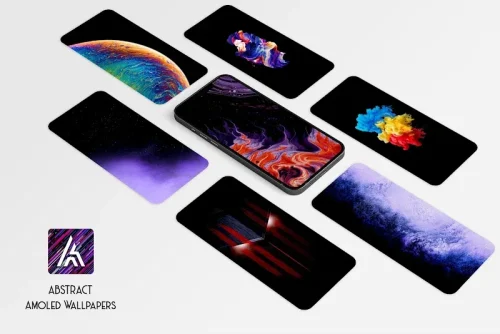
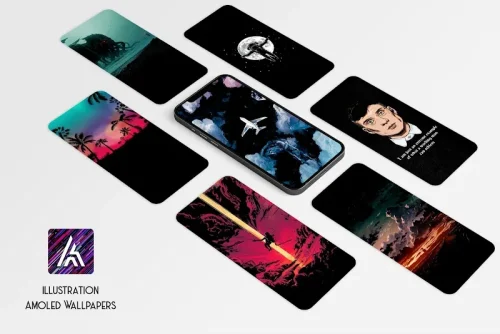
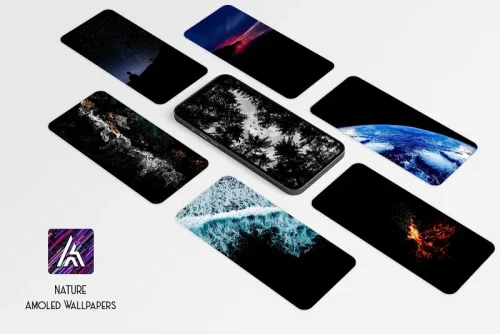
The visual identity of the content emphasizes true blacks and high-contrast details that showcase AMOLED strengths, and wallpapers are organized into categories—minimalist, abstract, landscape, geometric and more—so discovery feels structured rather than random. Level structure in this context refers to how collections are grouped: curated packs, trending picks, editorial highlights, and user favorites create natural progression for exploration. Regular updates to trending sections and the ability to schedule rotation provide strong replay value; changing wallpapers frequently keeps the home screen feeling fresh and encourages continued use.
User experience focuses on clarity and low friction: large thumbnails, readable labels, and predictable gestures help people with varying dexterity. High-contrast UI elements and clear preview boundaries improve accessibility, and saved images can be stored locally for users who prefer offline access or have limited connectivity. The app respects device aspect ratios and provides notch-aware previews so images don’t get unintentionally cropped on modern flagships.
Amoled.in supports offline use by allowing images to be downloaded to your device, and the auto changer operates without heavy background processing by using lightweight scheduled tasks to swap wallpapers. Performance is optimized for smooth scrolling through galleries and minimal battery impact on non-AMOLED panels. Limitations include the app’s primary emphasis on dark and black-centric wallpapers, which may not suit users seeking bright, colorful backgrounds, and the notch-specific collections are tailored to recent flagship models and may not match every device cutout perfectly.
Start by browsing curated 4K packs, use AI search to locate styles or colors you like, and save several options into favorites so you can rotate through looks quickly. Use the Amoled-ify tool on a favorite personal photo to create a truly unique wallpaper, then set up a daily schedule to keep your home screen evolving. If you switch phones, sign in to retain favorite sync across devices. Overall, Amoled.in provides practical controls, meaningful metadata, and organized collections that help you manage and enjoy a consistent, dark aesthetic on AMOLED displays.
Gaming Logo Maker ESports
Size:22.75M OtherHiShort
Size:62.40M OtherSolid Color Wallpapers
Size:14.90M OtherLike Launcher heart launcher
Size:28.30M OtherNBA G League
Size:70.55M OtherCreative Launcher
Size:25.87M OtherDelta Icon Pack
Size:42.80M OtherEarth Map Satellite Live View
Size:39.85M OtherCrunchyroll
Size:56.80M OtherWin 12 Launcher
Size:13.58M OtherM Launcher
Size:13.61M OtherOS Style Launcher
Size:10.90M OtherApril 2024 Clash of Clans Update: Unveiling a Fresh Companion, Enhanced Levels, Chat Tagging, and Be
2024-04-16Arrival of Genshin Impact 4.6 Update: 'Embers of Two Realms, Twilight of Crimson'
2024-04-16V2.2 of the Farlight 84 update introduces an overhauled Season structure, fresh in-game currency, an
2024-04-16Monster Never Cry is now accessible on both Android and iOS mobile devices.
2024-04-18PUBG Mobile Teams Up with Bentley Motors: Luxury Cars, Exclusive Collectibles, and Beyond
2024-04-18March 2024 Free Redemption Codes for Honkai: Star Rail
2024-04-18