
English
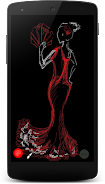
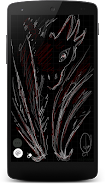
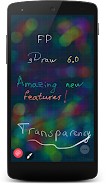
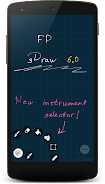
Draw with FP sDraw is a compact yet capable drawing and sketching app designed for Android devices, offering a balance of precision tools and a clean interface so creators can work quickly and accurately on the go. The app is built around careful brush control, layer-based editing, and practical export options, making it suitable for quick sketches, detailed illustrations, technical diagrams, and annotated notes without cluttering the screen.
At its core, Draw with FP sDraw provides a flexible brush engine with adjustable size, opacity and texture settings that simulate pressure and tilt, plus vector-like smoothing for cleaner strokes. A multi-layer system supports non-destructive editing with rename, reorder, lock and merge actions; selection and transform tools allow scaling and rotation of elements; and ruler guides, perspective helpers and grids assist when you need precision. The app includes an undo/redo history, autosave and export support for standard image formats such as PNG and JPEG as well as layered project exports compatible with common desktop editors.
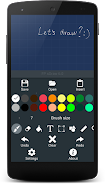
The interface in Draw with FP sDraw is arranged to minimize distraction: a compact toolbar, collapsible panels and a responsive canvas let you focus on drawing. Controls are gesture-friendly with pinch-to-zoom, two-finger pan and quick tap shortcuts for common actions. Frequent tasks are accessible through customizable tool presets so you can build a personal workflow that speeds iteration—create a preset brush set for inking, another for color blocking, and switch between them without rebuilding settings each time.
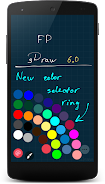
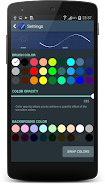
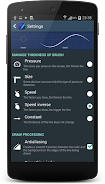
Brush customization goes beyond basic sliders: you can fine-tune dynamics and simulate pressure sensitivity even on devices without native pressure support, which helps produce natural line variation. Layer controls include opacity adjustments and simple blending options to compose complex illustrations. The selection and transform tools are precise enough for mockups and layout work, and the color tools include palette creation, eyedropper sampling and a recent color history to keep your choices consistent across a project.
Draw with FP sDraw is optimized to run smoothly on a wide range of Android hardware, from mid-range phones to high-end tablets. The rendering engine balances smooth strokes with efficient memory use so large canvases remain responsive. Where the device supports it, stylus input and hardware pressure are recognized to improve control. Hardware-accelerated rendering reduces lag during fast strokes, and the app is designed to work offline so you can sketch anywhere without an internet connection.
Project management is straightforward: save files locally, export flattened images for social sharing or send layered files for further work on desktop software. Built-in sharing shortcuts let you forward images to messaging apps, email or cloud storage without leaving the app. The autosave and version history features protect longer sessions from data loss and let you revert to earlier iterations if you need to backtrack.
Draw with FP sDraw fits many creative routines: concept sketching, storyboarding, note-taking, UI mockups and hobbyist practice. Progression is handled through repeated use and personalization—your custom brush sets, saved tool presets and organized layer templates act as a workflow progression system that speeds production as your library grows. For skill development, use locked reference layers and stabilization settings to practice consistent lines and perspective; working through small exercises such as controlled line work or timed thumbnail sketches helps build speed and control.
The app includes adjustable UI scaling and gesture sensitivity to suit different hand sizes and device types. Calibrate pressure and stabilization when you first connect a stylus for a more natural feel, and organize work with named layers and consistent color palettes to simplify revisions. Use export presets to maintain consistent resolutions for print or online sharing, and import reference images into a locked layer when working on proportions or tracing studies.
To begin, create a new canvas and choose a preset size matching your target output, explore the brush presets and save favorites to a custom toolbar, and import a reference image if you need one. Keep regular exports of work-in-progress copies and make use of the autosave and version history to avoid losing changes. With a few minutes of setup, Draw with FP sDraw provides a compact, reliable mobile studio that adapts to both quick sketches and more involved illustration sessions.
Gaming Logo Maker ESports
Size:22.75M OtherHiShort
Size:62.40M OtherSolid Color Wallpapers
Size:14.90M OtherLike Launcher heart launcher
Size:28.30M OtherNBA G League
Size:70.55M OtherCreative Launcher
Size:25.87M OtherDelta Icon Pack
Size:42.80M OtherEarth Map Satellite Live View
Size:39.85M OtherCrunchyroll
Size:56.80M OtherWin 12 Launcher
Size:13.58M OtherM Launcher
Size:13.61M OtherOS Style Launcher
Size:10.90M OtherApril 2024 Clash of Clans Update: Unveiling a Fresh Companion, Enhanced Levels, Chat Tagging, and Be
2024-04-16Arrival of Genshin Impact 4.6 Update: 'Embers of Two Realms, Twilight of Crimson'
2024-04-16V2.2 of the Farlight 84 update introduces an overhauled Season structure, fresh in-game currency, an
2024-04-16Monster Never Cry is now accessible on both Android and iOS mobile devices.
2024-04-18PUBG Mobile Teams Up with Bentley Motors: Luxury Cars, Exclusive Collectibles, and Beyond
2024-04-18March 2024 Free Redemption Codes for Honkai: Star Rail
2024-04-18


















