English
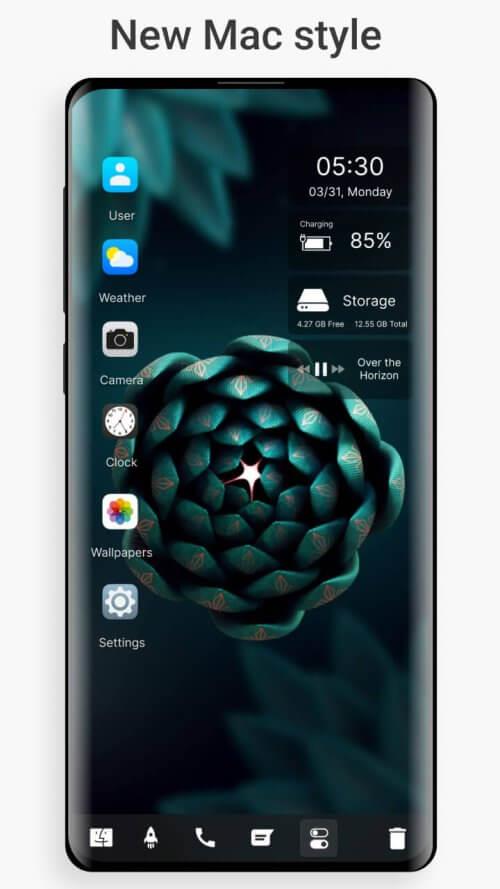
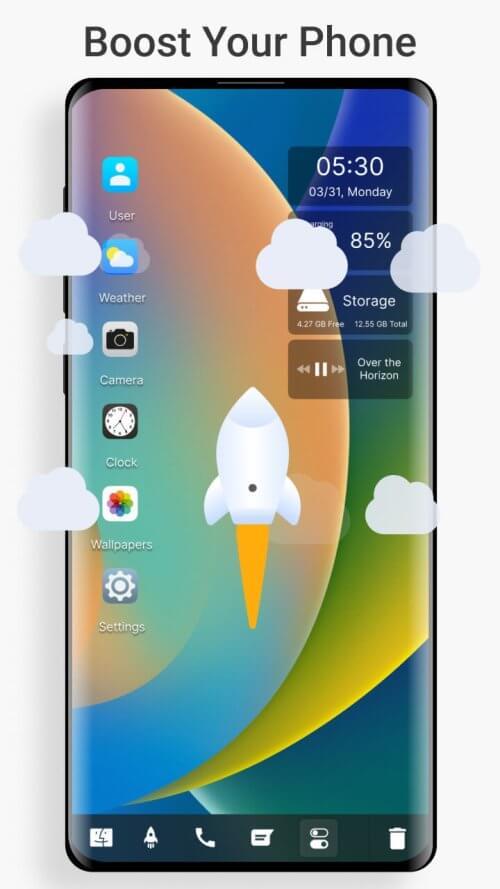
Desktop Style Launcher brings a familiar desktop-like workspace to your Android device, putting a Start-menu style layout, quick search and basic file-management tools within reach of a single tap. The app recreates a tidy, efficient home screen by grouping apps, exposing utilities for fast file operations, and offering configurable widgets for calendar, weather and notes, all while prioritizing smooth animations and modest resource usage for daily productivity on phones and tablets.
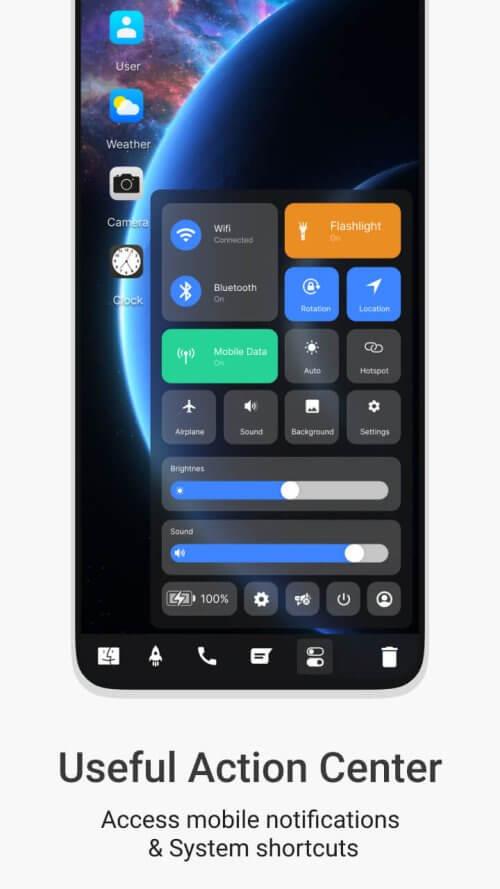
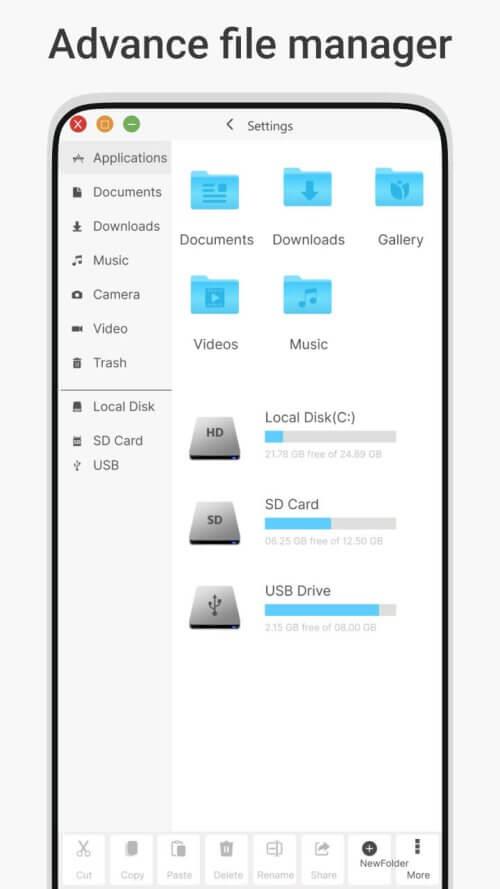
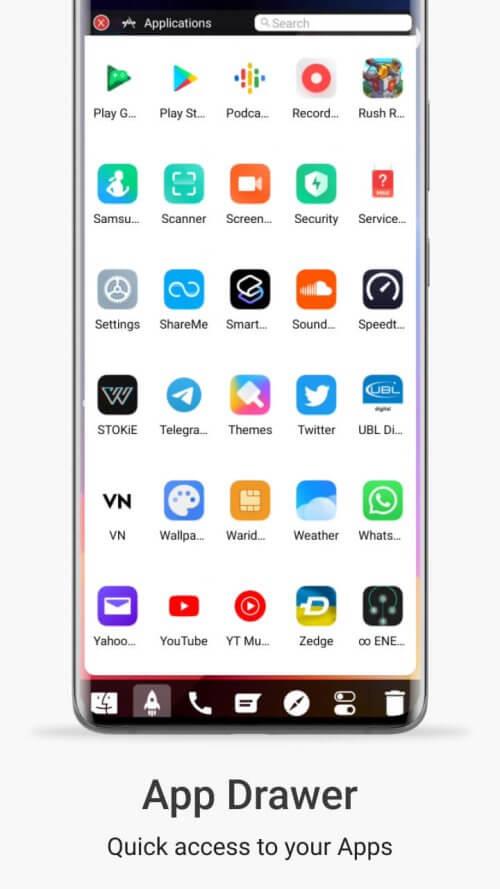
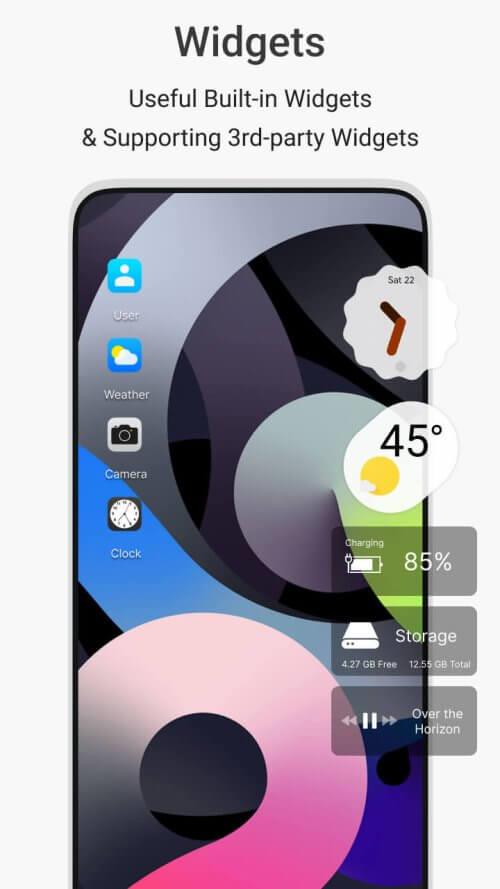
The core design centers on a desktop-inspired Start menu and a compact taskbar for fast access to frequently used apps and system shortcuts. Desktop Style Launcher organizes applications into folders and categories automatically while also letting you arrange items manually so your most important tools remain one click away. A centralized search field quickly finds apps and local files without switching contexts, and built-in file management allows simple copy, move and rename actions without having to open a separate file manager. Theme and layout options let you choose grid density, icon size and color accents, and widget support provides small, useful modules for weather, calendar and notes that update smoothly without hogging memory.
The interface relies on familiar Android gestures and direct manipulation: tap to open, long-press to reveal item settings, drag-and-drop to arrange icons and folders, and a dedicated search bar for typing or using voice input. The taskbar supports quick-launch and background app access, while the Start-menu layout gives you immediate access to recent apps and common utilities. File operations are accessible from a contextual menu so you can carry out basic productivity tasks—like moving a document between folders or sharing an image—without leaving the home screen environment.
Desktop Style Launcher lets you tailor visual details to match your workflow. Choose between compact or spaced grid layouts, adjust icon scaling and label visibility, and switch between light, dark or accent-driven themes. Widget tiles can be resized and relocated to create focused information panels, and the launcher supports subtle motion effects that enhance clarity rather than distract. The goal is a consistent visual language that fits both minimalist and information-dense setups, helping you create a workspace that feels like your personal desktop.
Although not a game, the launcher supports a progression of use: initial setup takes a few minutes to set folders and preferred widgets, after which productivity grows as you refine the arrangement and save time with faster search and fewer context switches. You can develop routines—such as a morning workspace with calendar and news widgets or a work profile with project folders—that reduce friction throughout the day. Frequent tasks become quicker to execute, and small adjustments over time yield measurable improvements in how you navigate and manage apps and files.
The launcher is designed to work offline for its core features: local search, app launching, layout changes and file operations are performed on-device without requiring a network connection. Accessibility is considered through scalable icon and text sizes and a clean layout that reduces visual clutter; it respects Android’s system settings so users who rely on larger text, high-contrast modes or other accessibility tools can align the launcher to their needs. These choices help support a wide range of users and device configurations.
Performance is balanced against feature set: animations are lightweight and the launcher aims to limit background activity to keep battery and CPU impact low. Privacy is respected by performing file operations locally and requesting only the minimal permissions necessary for core functions; any optional integrations will clearly request consent at runtime. Security mechanisms focus on safeguarding local data and offering straightforward controls for what the launcher can access.
Not all apps and third-party widgets adapt perfectly to a desktop-like shell, and some advanced desktop behaviors cannot be fully reproduced on mobile hardware and the Android platform. Advanced customization can require time to fine-tune layouts and widget placements to match your workflow. The launcher works best as a productivity layer on top of Android’s existing app ecosystem, and can be especially useful on larger phones and tablets where a desktop-style arrangement improves usability.
Gaming Logo Maker ESports
Size:22.75M OtherHiShort
Size:62.40M OtherSolid Color Wallpapers
Size:14.90M OtherLike Launcher heart launcher
Size:28.30M OtherNBA G League
Size:70.55M OtherCreative Launcher
Size:25.87M OtherDelta Icon Pack
Size:42.80M OtherEarth Map Satellite Live View
Size:39.85M OtherCrunchyroll
Size:56.80M OtherWin 12 Launcher
Size:13.58M OtherM Launcher
Size:13.61M OtherOS Style Launcher
Size:10.90M OtherApril 2024 Clash of Clans Update: Unveiling a Fresh Companion, Enhanced Levels, Chat Tagging, and Be
2024-04-16Arrival of Genshin Impact 4.6 Update: 'Embers of Two Realms, Twilight of Crimson'
2024-04-16V2.2 of the Farlight 84 update introduces an overhauled Season structure, fresh in-game currency, an
2024-04-16Monster Never Cry is now accessible on both Android and iOS mobile devices.
2024-04-18PUBG Mobile Teams Up with Bentley Motors: Luxury Cars, Exclusive Collectibles, and Beyond
2024-04-18March 2024 Free Redemption Codes for Honkai: Star Rail
2024-04-18