English
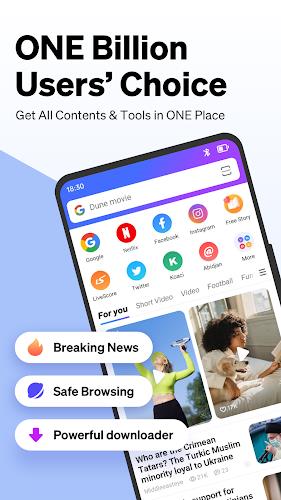
Phoenix Browser is a lightweight mobile web browser that prioritizes speed, data savings and privacy. It combines a clean interface with powerful tools like a smart download manager, ad blocking and offline video support, delivering fast page loads and streamlined navigation for everyday browsing on Android devices.
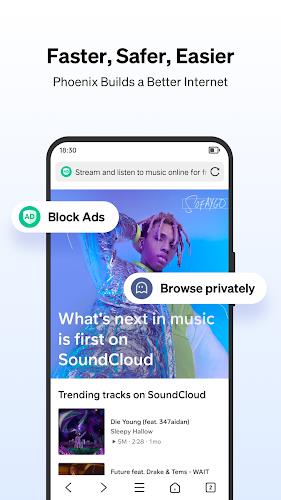
The app focuses on practical functionality that enhances daily browsing. Phoenix Browser bundles an efficient ad blocker, a built-in video player and an advanced download manager that supports multiple simultaneous downloads and background processing. Other notable tools include a private mode, data compression technology and a customizable homepage for quick access to favorite sites.
Privacy remains central to the design. Phoenix Browser offers a private browsing mode that clears history and cookies when you exit. The app includes options to disable tracking and to manage site permissions for location, camera and notifications. For extra safety, users can set a passcode for private tabs and clear browsing data on demand.
The user interface is optimized for one-handed use and minimal distraction. Tabs, address bar and navigation controls are positioned for fast access, while gesture shortcuts speed up common actions such as switching tabs or opening a new search. The homepage is editable with shortcuts and news cards so you can tailor the start screen to match your interests.
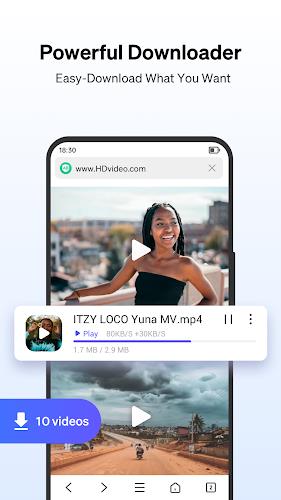
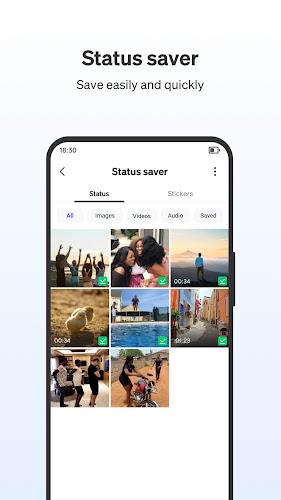
One of the strongest aspects of Phoenix Browser is its handling of downloads and media. The download manager queues files, shows progress, and resumes interrupted transfers. The built-in media player can play many video formats and supports offline viewing. When streaming content is detected on a page, the browser offers to save it for later, making it simple to collect videos without third-party tools.
Designed to run smoothly on a range of Android devices, Phoenix Browser balances speed with battery and data efficiency. Data compression reduces bandwidth consumption on metered connections, while background resource management limits memory use. Pages load quickly thanks to caching and optimized rendering, and the ad blocker further decreases page weight and CPU overhead.
The browser works across most modern Android versions and adapts to different screen sizes, from compact phones to large tablets. It supports common web standards, multimedia content and popular web apps. Integration with the Android share sheet and file system simplifies saving and opening files, and browser settings let you choose default behaviors for downloads and media playback.
Users can personalize appearance and behavior through themes, font size controls and a night mode for comfortable reading in low light. Notification preferences are adjustable so you only receive updates that matter. Advanced users can tweak privacy settings and enable experimental features to test performance enhancements or alternative rendering options.
Set up is quick: install the app, import bookmarks if needed, and set a preferred search engine. Enable the ad blocker and data saver to immediately improve loading speed and reduce data costs. Explore the download manager and private tabs to feel secure handling files and sensitive browsing sessions. A brief walkthrough inside the app highlights core features and useful gestures.
Phoenix Browser appeals to people who want a fast, no-nonsense browser with helpful extras like robust downloading, video saving and privacy controls. It strikes a balance between simplicity and powerful tools, making it suited for users who want efficient daily browsing without managing multiple extensions or add-ons.
Whether you need to save data, manage many downloads or watch videos offline, Phoenix Browser provides a compact package of features that simplify common web tasks while keeping performance and privacy in focus.

DaRemote
Size:25.95M CommunicationPhoenix Browser
Size:28.30M Communicationdrupe
Size:52.21M CommunicationiSharing
Size:20.50M Communicationimo video calls and chat
Size:102.20M CommunicationWhoscall
Size:46.10M CommunicationGroundwire
Size:61.64M CommunicationOH Private Web Browser
Size:4.59M CommunicationBIG Phone for Seniors
Size:10.01M CommunicationFree Adblocker Browser
Size:188.40M CommunicationSoundCloud
Size:95.60M CommunicationInst Saver Post Story Saver
Size:11.13M CommunicationApril 2024 Clash of Clans Update: Unveiling a Fresh Companion, Enhanced Levels, Chat Tagging, and Be
2024-04-16Arrival of Genshin Impact 4.6 Update: 'Embers of Two Realms, Twilight of Crimson'
2024-04-16V2.2 of the Farlight 84 update introduces an overhauled Season structure, fresh in-game currency, an
2024-04-16Monster Never Cry is now accessible on both Android and iOS mobile devices.
2024-04-18PUBG Mobile Teams Up with Bentley Motors: Luxury Cars, Exclusive Collectibles, and Beyond
2024-04-18March 2024 Free Redemption Codes for Honkai: Star Rail
2024-04-18