English
Pigments is a professional painting and color-design app for Android that blends natural brush behavior with an intuitive color engine, enabling creators to sketch, paint, and refine illustrations on the go. Its toolset supports layered workflows, precise color mixing, and fast exporting for both hobbyists and working artists.
Pigments delivers a compact but powerful toolkit built around speed and creative control. It combines realistic brush simulation with advanced selection and layer controls so projects remain organized and editable throughout development.
The user interface emphasizes a clean canvas and contextual controls. Pigments keeps primary tools accessible with a collapsible toolbar, configurable shortcuts, and unobtrusive gesture support. Menus are arranged to reduce interruptions during long sessions: quick-access icons for undo/redo, brush size, and color swaps sit alongside a preview navigator for zoomed compositions.
Workflow is optimized for iteration. Create artboards of different sizes, duplicate layers for variant exploration, and use snapshots to revert to earlier states without linear undo limitations. Pigments also supports custom workspace layouts so you can prioritize brushes, palettes, or layer lists depending on the task.
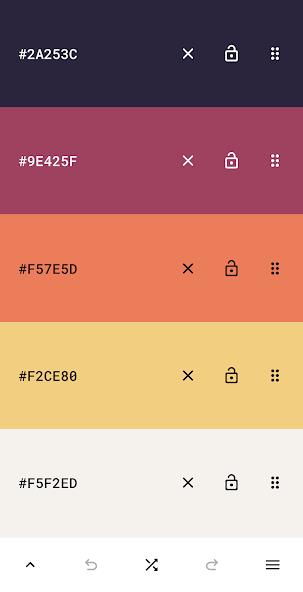
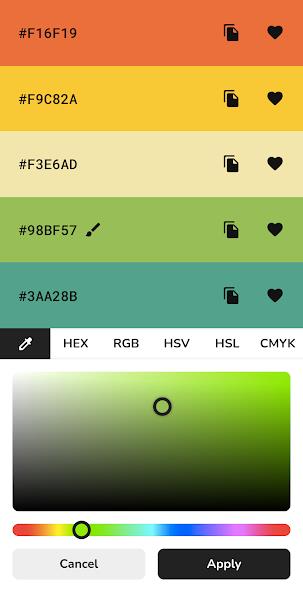
Color handling is a major focus. Pigments implements a mixing model that simulates pigment interaction rather than simple overlay, which helps when building complex blends or glazing effects. The color wheel, temperature slider, and saturation ring are responsive and accurate, while named swatch sets let you lock brand or client palettes.
Brushes are tuned for tactile feedback when used with capacitive styluses and active pens. Each brush profile can be adjusted for pressure sensitivity, tilt response, scatter, and wetness. You can create and save custom brushes, then export them to other devices, ensuring a consistent toolkit on multiple platforms.
Pigments includes straightforward file handling with local and cloud storage options. Projects are autosaved to prevent data loss and can be exported as layered PSDs for continued work in desktop applications. Shared links and project packages make collaborating with clients or teammates easy: send a compressed preview for quick review or a full layered file for detailed editing.
Optimized for modern Android hardware, Pigments uses GPU acceleration to keep brush strokes smooth at high zoom and large canvas sizes. Memory management is designed to balance layer depth with responsiveness; heavier projects will still perform well on tablets and flagship phones. The app supports Android stylus APIs and pressure input on compatible devices, and it remains efficient on devices running recent Android versions.
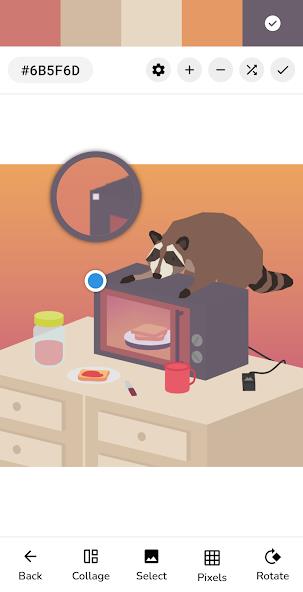
Begin by creating a new canvas from preset sizes or a custom resolution. Import reference images directly onto a locked layer, choose a base brush, and sketch with low opacity to establish composition. Use layer masks to refine edges, and experiment with blending modes to discover lighting and texture effects. Pigments ships with tutorial presets and sample projects that accelerate the learning curve for new users.
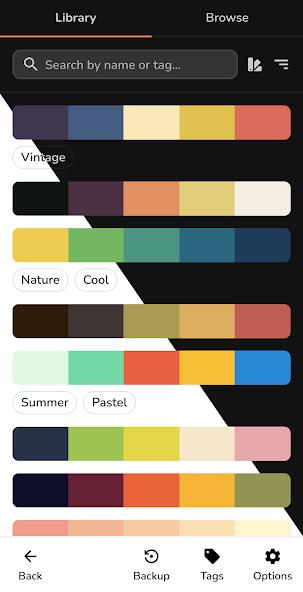
Build a personal swatch library for recurring projects, and use grouped layers to separate foreground, midground, and background elements. Regularly flatten copies for export while keeping the editable source intact. For fine detail work, reduce brush smoothing and increase canvas DPI before starting so you retain crisp edges when scaling down.
Pigments balances accessible tools with professional-grade controls, making it suitable for concept art, illustration, and color study. With thoughtful performance tuning and flexible export options, it integrates well into mobile-to-desktop pipelines and supports creative work across devices.
Gelux Icon Pack
Size:8.20M PersonalizationWallpaper Outlet
Size:2.43M PersonalizationBikerz - Icon Pack
Size:102.73M PersonalizationBorderline Icon Pack
Size:81.07M PersonalizationOne4Icons: Icon Pack Studio
Size:46.30M PersonalizationRadient Icons
Size:138.90M PersonalizationPigments
Size:4.50M PersonalizationFunko Dark - Icon Pack
Size:104.40M PersonalizationWhite Sweet Edge - Icon Pack
Size:18.04M PersonalizationOmega - Icon Pack
Size:16.89M PersonalizationDarko - Icon Pack
Size:106.85M PersonalizationOscuro Icon Pack
Size:53.32M PersonalizationApril 2024 Clash of Clans Update: Unveiling a Fresh Companion, Enhanced Levels, Chat Tagging, and Be
2024-04-16Arrival of Genshin Impact 4.6 Update: 'Embers of Two Realms, Twilight of Crimson'
2024-04-16V2.2 of the Farlight 84 update introduces an overhauled Season structure, fresh in-game currency, an
2024-04-16Monster Never Cry is now accessible on both Android and iOS mobile devices.
2024-04-18PUBG Mobile Teams Up with Bentley Motors: Luxury Cars, Exclusive Collectibles, and Beyond
2024-04-18March 2024 Free Redemption Codes for Honkai: Star Rail
2024-04-18