English
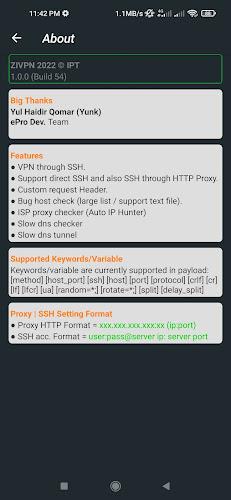
If you're the kind of user who values private, reliable connections, ZIVPN Tunnel brings a compact toolkit for protecting your Android traffic while you browse, stream or work on the move. This app bundles common VPN protocols with device-level locks so you can control access, and it focuses on simple setup and steady speeds rather than extra frills. The overview below walks through how ZIVPN Tunnel looks in daily use, what to expect from its core features and a quick guide to getting started.
Install and grant permissions: After installation, allow the required network and VPN permissions so the app can create a secure tunnel for your device traffic.
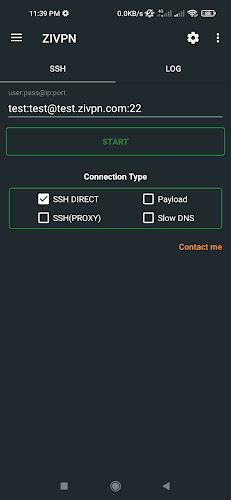
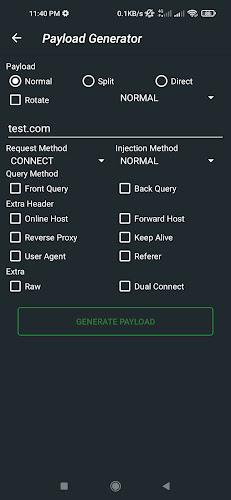
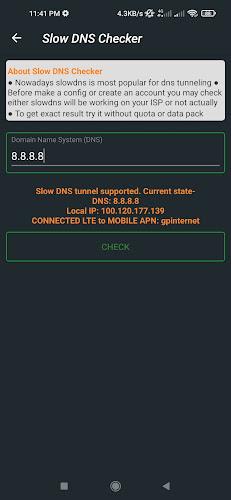
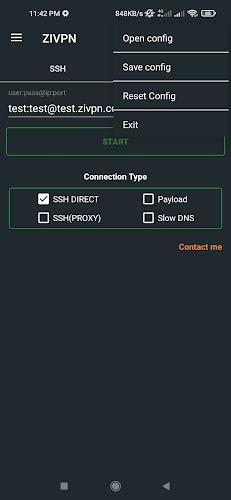
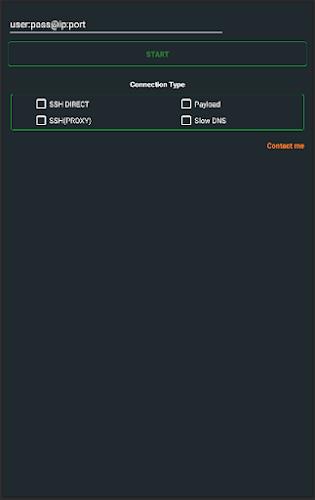
Select a protocol: Pick between supported connection types such as SSH, DNS or UDP based on your needs for stability and latency.
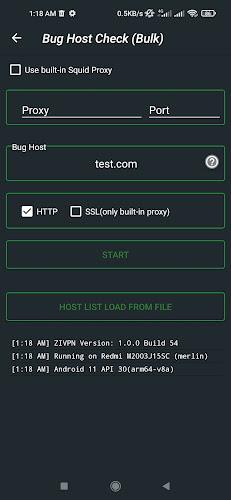
Choose a server and connect: Browse server choices by region and tap connect; the interface keeps the connection process straightforward for new users.
Lock access to the app: Set a PIN or enable biometric locks like fingerprint or face unlock to prevent unauthorized changes to your VPN settings.
End-to-end encryption: Traffic routed through the app is encrypted to reduce the risk of interception when you use public networks.
No-logs stance: The app follows a strict policy of not recording browsing logs, so session details are not stored on the service side.
Multiple security locks: You can secure the app itself with a PIN, fingerprint or facial lock to keep configuration and credentials protected.
Optimized server network: Servers in various regions help keep latency low and provide options for accessing content from different locations.
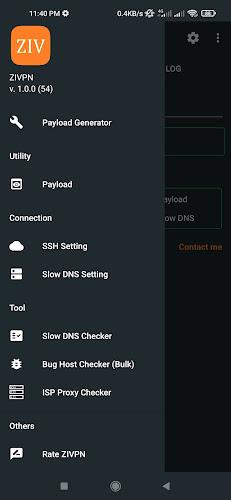
Protocol options for compatibility: Offering SSH, DNS and UDP modes gives you flexibility when a single protocol is blocked or slow on a particular network.
Use while on public Wi-Fi: Activate ZIVPN Tunnel before logging into a cafe or airport network to keep passwords and messages encrypted.
Access work resources securely: When connecting from a hotel or temporary workspace, run the VPN first to protect file transfers and remote desktop sessions.
Keep the app locked: Enable biometric protection so only you can change connection settings or see saved preferences.
ZIVPN Tunnel is a solid choice if you want a straightforward Android VPN that focuses on privacy basics and fast connections; try it to see how its protocol options and app-level locks fit your routine, and consider checking server performance for your usual locations before relying on it for heavy streaming or remote work.
Shortcut+
Size:5.87M ToolsDesh Kannada Keyboard
Size:35.25M ToolsDiarium
Size:18.20M ToolsZIVPN Tunnel
Size:102.20M ToolsWifi password all in one
Size:4.72M ToolsNordVPN Premium
Size:21.90M ToolsFlashcard maker
Size:18.55M ToolsTurbo Alarm
Size:7.10M ToolsEqualizer & Bass Booster - XEQ
Size:5.23M ToolsPhoto Search
Size:27.94M ToolsDrawing Studio
Size:100.10M ToolsAnnotium
Size:13.50M ToolsApril 2024 Clash of Clans Update: Unveiling a Fresh Companion, Enhanced Levels, Chat Tagging, and Be
2024-04-16Arrival of Genshin Impact 4.6 Update: 'Embers of Two Realms, Twilight of Crimson'
2024-04-16V2.2 of the Farlight 84 update introduces an overhauled Season structure, fresh in-game currency, an
2024-04-16Monster Never Cry is now accessible on both Android and iOS mobile devices.
2024-04-18PUBG Mobile Teams Up with Bentley Motors: Luxury Cars, Exclusive Collectibles, and Beyond
2024-04-18March 2024 Free Redemption Codes for Honkai: Star Rail
2024-04-18